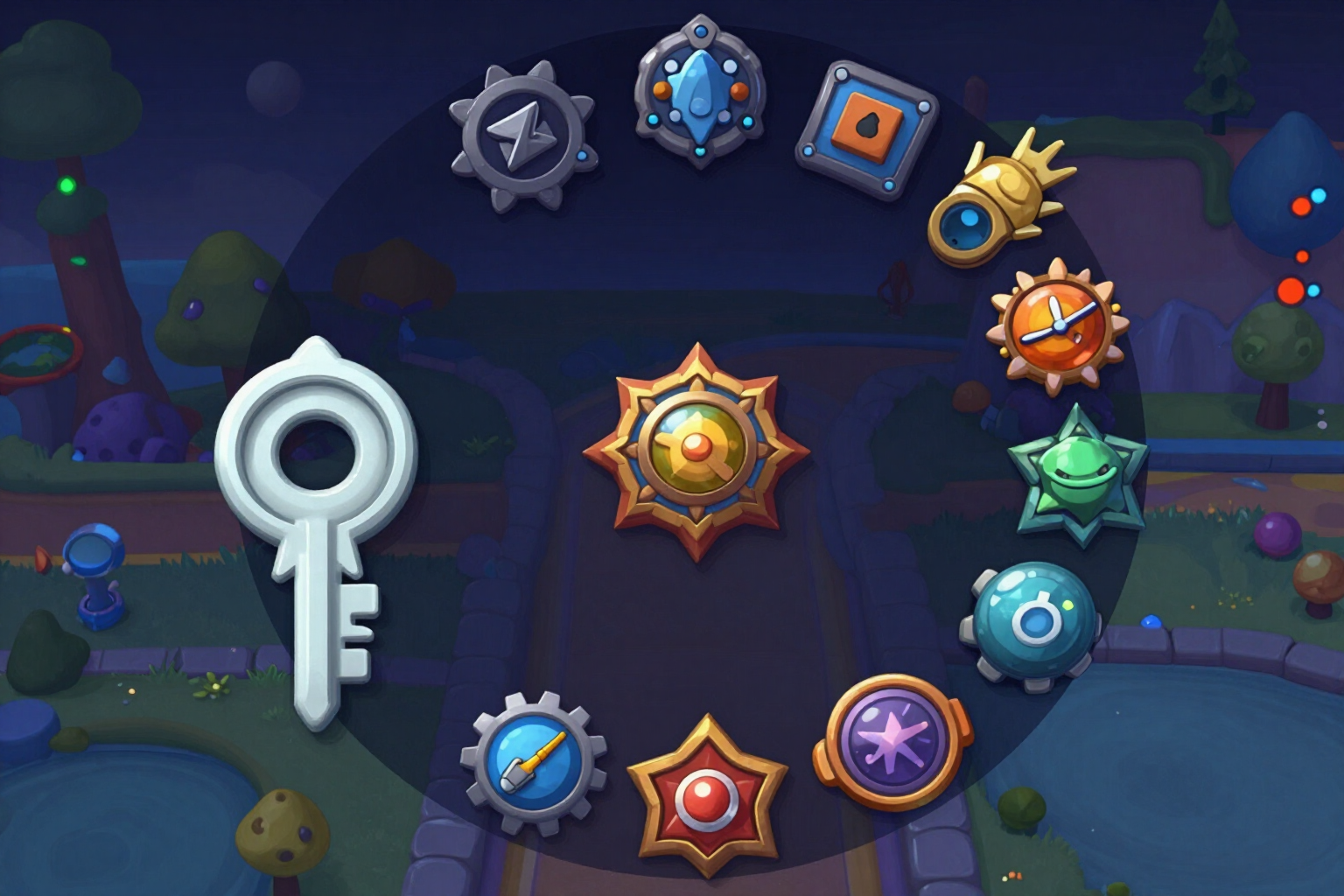
Badge and Game Pass Icon Generator for Roblox at 512×512
Emblems with radial composition and everything that means something within the inscribed circle, so Roblox's circular mask doesn't cut off half the medal.
The problem with badge icons isn't drawing them: it's that Roblox displays them in a circle and you upload them in a square. What falls in the corners disappears.
This app's badge module generates the square icon of 512×512 pixels that Roblox requires for Badges and Game Passes in your experience, but designed for how it will be viewed. The prompt forces the model into a strictly centered and radial composition: a single symbol in the center, the burst or glow behind, nothing important near the corners, and the background bleeding to the edge of the square, with no frame or border.
You first choose what you are creating because it's not the same: a badge has to read as something that is EARNED — a medal-like symbol with a radial burst behind — and a pass as something that is BOUGHT — a shiny object or upgrade with a glow around it. You write the name ("Level One", "VIP Pass") and the genre of your game, and that's all the input required: there's no need for the experience name.
The AI doesn't paint the name. The model receives the explicit instruction not to draw letters, and the text is overlaid later as a vector with sharp, centered, and confined to 62% of the width — the inscribed circle — compared to 88% used in a normal icon. That's why the field cuts you off at 28 characters: a circle fits much less than a square, and it's more honest to warn you beforehand than to deliver an unreadable emblem.
The piece is shown to you already masked in a circle, over a checkered background so you can see the transparency, allowing you to quickly check what survives the crop. But what you download is the complete square PNG, which is what needs to be uploaded: if you uploaded the already cropped circle, Roblox would apply its own on top, and the emblem would end up with a halo. This is part of “Roblox”, the AiToolsForApps tool for creating graphic resources and calculating the economy of a Roblox game: https://aitoolsforapps.com/airoblox-icons-thumbnails-and-robux-calculator-213
Try Badges and passes 512×512 right here
Use it free without an account. If you want to save your result, you can sign up afterwards.
Save / Sign upBenefits of Badges and passes 512×512
True circular safe zone
the radial composition is not a manual suggestion, it's imposed in the prompt. Everything semantic stays within the central circle, and the background reaches the edge of the square, so Roblox's crop doesn't eat any part of the emblem.
You see it already cropped before downloading
the preview applies the circular mask over a checkered background. You check in two seconds what remains inside the circle, instead of discovering it when the badge is already published.
You download the square, which is what Roblox requires
the PNG comes out at 512×512 full, and the app explains on screen why you shouldn't upload the cropped circle (Roblox would overlay its own and it would have a halo).
Badge or pass are two different intentions
the switch doesn’t change a color filter, it changes the scene. The badge is drawn as something that is earned and the pass as something that is purchased, with a desirable item or upgrade at the center.
We write the name as a vector, never the AI
the text is composed with sharp in SVG over the generated background, so it comes out crisp and without spelling mistakes, with outline and shadow. Image models draw letters as shapes and tend to make mistakes.
28 character limit stated plainly
the field cuts you off there because the text goes inside the circle, not in the square. And it warns you before generating if you've included emojis or signs that the font cannot draw.
Readability verdict on a phone scale
each piece is measured pixel by pixel, without AI, at 64 px reference — global contrast, figure against background, detail density, and actual text size. These are measured numbers, not a model's opinion.
With Roblox rules at hand
the first 5 badges every 24 hours are free, and from there they cost 100 R$ per badge (data verified on Oct 27, 2026 against Roblox documentation). The LEEME.txt in the ZIP indicates the exact path: Creator Dashboard → your experience → Associated Items → Badges.
An emblem that remains understandable after cropping
Try it right here without registering: choose badge or pass, enter the name, and download the 512×512 PNG ready for the Creator Dashboard.
In the features that use AI, responses are generated by artificial intelligence and are not a substitute for professional advice.