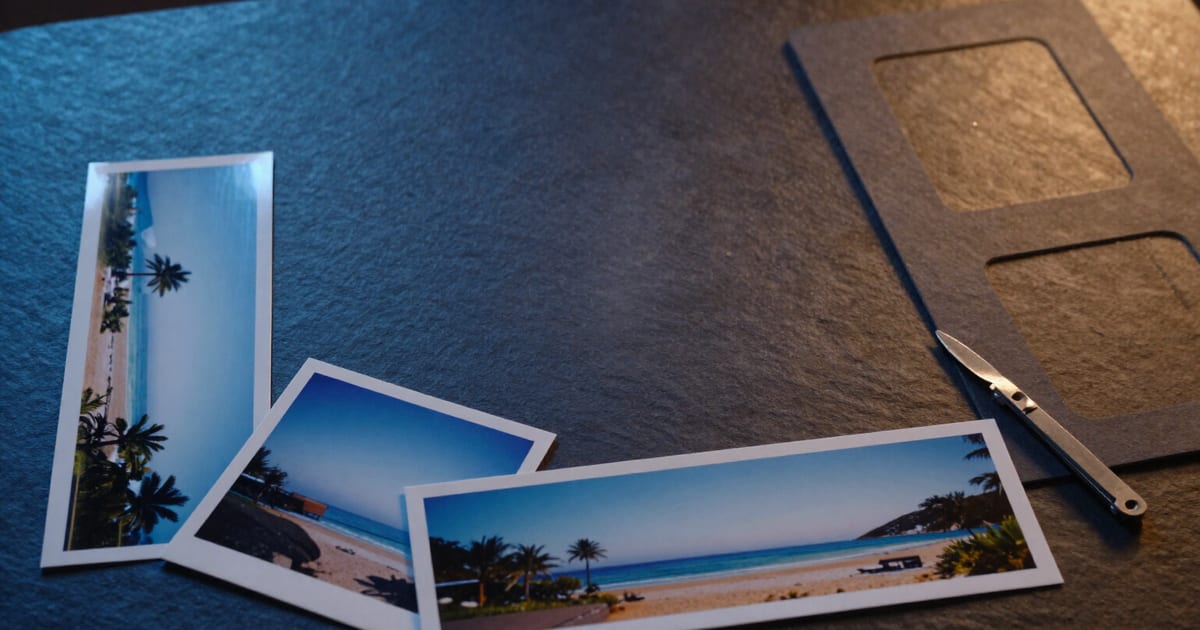
Crop the same photo for Stories, profile and cover in a single pass
You choose destinations by their drawing — vertical for Stories, square for profile, portrait for feed, panoramic for cover — and the app generates all variants of all photos at once, framed automatically on what matters.
«9:16» means nothing to anyone. What you want is for the photo not to be cropped in Stories or beheaded in your avatar.
Google Photos cropping by use in AiToolsForApps doesn't ask you for aspect ratios: it shows you chips with the actual silhouette of each format drawn to scale and, underneath, what it's for in small print. Vertical 9:16 (1080×1920) for Stories and Reels. Square 1:1 (1080×1080) for profile photo and square feed. Portrait 4:5 (1080×1350) for social media portrait. Panoramic 16:9 (1920×1080) for covers and banners. And Landscape 3:2 (1620×1080), the classic camera ratio. You tap the silhouette that rings a bell and the destination is chosen.
Selection is multiple, and that's the beauty of it: you tick Stories and square, or all five if you want, and the app tells you in one line how many files you'll have — «2 formats × 12 photos = 24 files» — before processing anything. The variants are generated in the same pass over the same batch, not photo by photo or format by format.
The framing is proposed by the server: it finds the point of greatest visual energy in each image and centres the frame there, with a correction that avoids cutting at the crown in vertical crops. If a photo loses more than half the image when taken to a format, it warns you with the number of affected photos and a button to review the framing; from there you move the frame by hand, per photo and per format. Social media formats don't rotate with the photo: if you request 9:16, it comes out vertical even if the original photo was horizontal, which is precisely what a Story needs.
When finished you download a ZIP organised in subfolders by destination, with the format suffix in each filename (_9x16, _1x1, _4x5, _16x9, _3x2), or download individual variants. And since cropping is one of the five tools in the same batch, in that pass you can also compress the photos, choose JPG, WebP or AVIF output and remove GPS location before publishing them. All in the browser, without installing anything and without connecting your Google Photos account.
Try Crop for social media and profiles right here
Use it free without an account. If you want to save your result, you can sign up afterwards.
Save / Sign upBenefits of Crop for social media and profiles
Destinations, not maths
each chip carries the silhouette of the aspect ratio drawn to scale and the use written underneath, so you choose «Stories and Reels» or «Profile photo» without having to know what 9:16 or 4:5 means.
Multiple destinations at once
you tick the formats you want and all variants of all photos are generated in the same pass, with the file count visible before processing.
Smart cropping that doesn't cut off heads
the frame centers on the real point of interest in the image and shifts upward in vertical crops, instead of blindly cutting at the geometric center.
Warning when the crop eats the photo
if a variant loses more than half the image, it tells you with the number of affected photos and takes you to review the frame.
Manual adjustment when needed
you can move the frame photo by photo and format by format, and what you adjust overrides the automatic proposal.
Publication-ready pixels
1080×1920, 1080×1080, 1080×1350, 1920×1080 and 1620×1080, the long sides that social networks use. If the original photo doesn't have those pixels, it's delivered with what it has and in the correct aspect ratio: the app never upscales to fake quality.
ZIP organized by destination
subfolders by format and suffix in each file name, so your Story and avatar don't get mixed up when uploading.
And in the same pass
compress the batch, choose JPG, WebP or AVIF and remove GPS location before publishing. No Google account, no OAuth and a free trial batch of 10 photos.
One photo, all your formats
Try it without signing up with a batch of 10 photos: choose your destinations, review the crop frame and download the ZIP. When you sign up, batches expand and your favourite formats are saved for next time.
In the features that use AI, responses are generated by artificial intelligence and are not a substitute for professional advice.