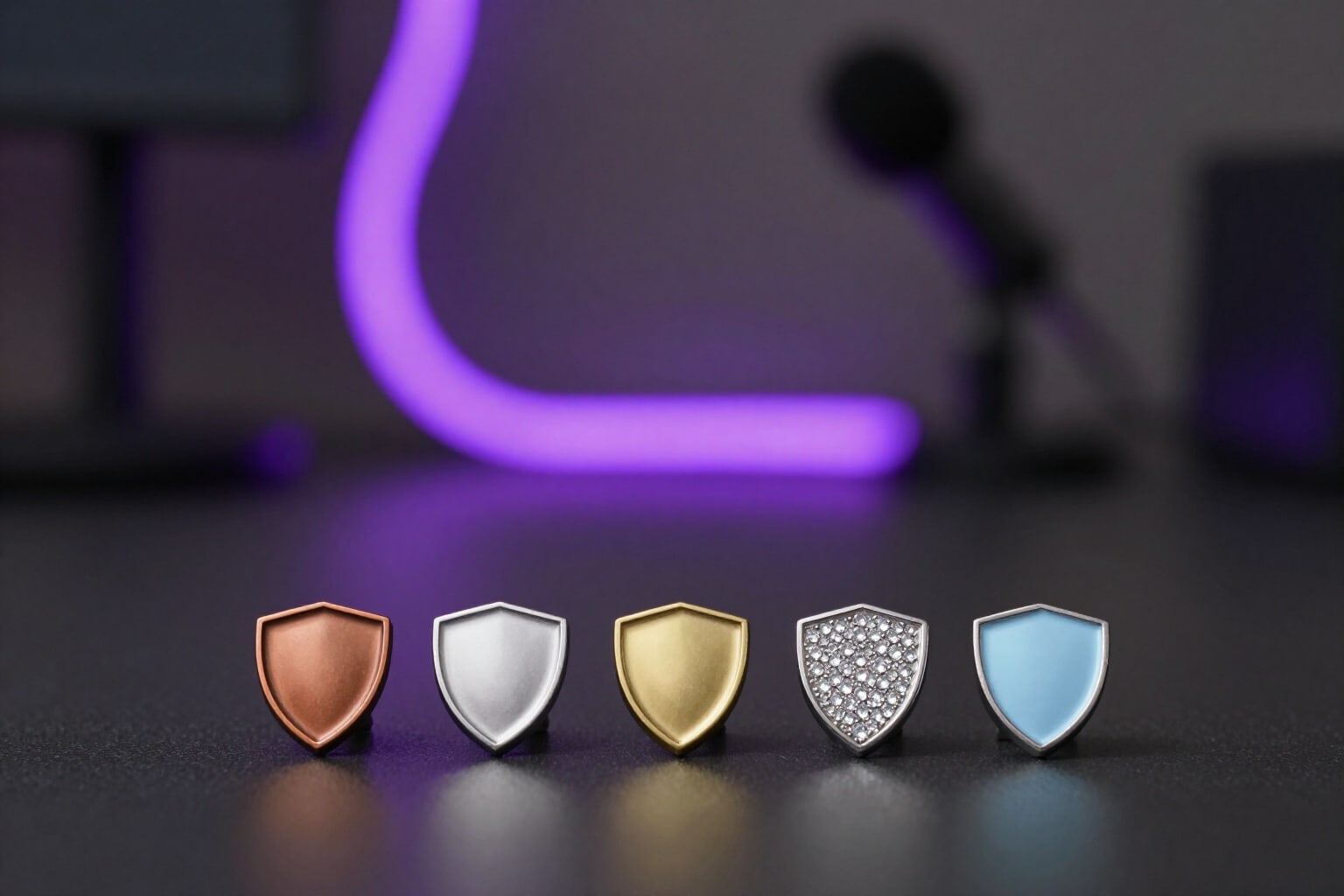
Twitch Subscriber Badges by Months Milestones, Recognizable at 18 px
A single motif, an entire series: from 1 to 24 months with material or accumulation progression, in 72, 36, and 18 px, and always below Twitch’s 25 KB requirement.
The subscriber badge isn't looked at: it's recognized. It appears at 18 pixels in front of a name in the chat, and there isn't room for seven different designs. If each tier is a different object, your chat won't distinguish someone with six months from someone with two years: they’ll see color blobs, not a ladder of seniority.
Twitch Channel Kit generates the motif ONCE and derives the entire series from it. You select the tiers you want—1, 3, 6, 9, 12, 18, and 24 months, with 1, 3, 6, 12, and 24 already marked by default—and each tier is composed on the same base drawing, which comes from your brief’s channel mascot or a custom motif you provide. That’s why at 18 px all tiers remain the same object with a different finish, which is exactly how recognition works at that size. Up to 24 badges fit per project.
You choose how the series progresses. In material progression, the motif doesn't change shape and moves up in category: bronze, silver, gold, platinum, diamond, ruby, and prism. In accumulation progression, the color is maintained, and elements are added to the motif that remain legible at small sizes: a ring, sparkles, wings, a crown, a dotted outline. Both outputs retain the silhouette, which is the only thing that survives at 18 pixels.
Each tier is delivered in the three sizes Twitch requires: 72 × 72, 36 × 36, and 18 × 18 pixels, in PNG with transparency and with a stable name like badge_tier6_72.png. The reduced versions are scaled incrementally with resharpening at each step, never a direct resize to the smallest size. And all three files are adjusted below Twitch’s hard limit—25,600 bytes—by reducing the color palette in steps; if colors had to be trimmed to fit, the app tells you instead of hiding it.
What you see next is a draggable badge ladder over Twitch’s actual chat gray, with the file size of each file written below and a toggle to view it at 36 px or 18 px, which is the true size. If two consecutive tiers look too similar at 18 px, the app marks the exact pair and offers to increase the color step, which recomposes the series by skipping material steps. If you also have Bit badges, make sure the two series don't get confused with each other, because they appear together in the chat in front of the same name. When you open a tier, you get its true-scale strip with the file size against the limit, the chat simulator in light and dark mode with the badge in front of the name, and the 72 px PNG download. It’s part of Twitch Channel Kit at AiToolsForApps: https://aitoolsforapps.com/twitch-channel-kit-emotes-badges-and-panels-282
Try Sub Badges by Tiers (1–24 Months) right here
Use it free without an account. If you want to save your result, you can sign up afterwards.
Save / Sign upBenefits of Sub Badges by Tiers (1–24 Months)
One motif, not seven designs
the base art is generated once, and all tiers are composed on it, so at 18 px, the series reads as the same object changing its finish, not as seven loose icons.
The subscriber badge tiers that are actually used
1, 3, 6, 9, 12, 18, and 24 months, with 1, 3, 6, 12, and 24 pre-selected. Toggle them with a tap and the series rebuilds with your chosen milestones.
Two truly distinct progressions
material (bronze, silver, gold, platinum, diamond, ruby, prism) or accumulation (ring, sparkles, wings, crown), depending on whether you prefer your series to upgrade its category or to gain new pieces.
The three files per tier
72, 36, and 18 px in transparent PNG, with the size in the filename, for the three slots required by the Twitch subscriber badge form.
Automatically under 25 KB
quantization reduces the color palette in steps until it meets Twitch’s hard limit, and if it had to reduce colors, it notifies you and suggests a flatter motif.
Detection of tiers that look alike at 18 px
the app compares each consecutive pair at the actual chat size, marks the exact pair for you, and lets you increase the color step with a button.
Full-size ladder with each piece’s file size
the complete series on Twitch chat’s gray background, a 36 px / 18 px switch, and the file size of each file written below its tier.
Chat preview before uploading anything
each tier's card includes the true-to-size strip, the light and dark chat simulator with the badge in front of the name, and direct download of the 72px.
Make your six-month milestone stand out from your two-year milestone at 18 pixels
Describe your mascot or motif, mark the tiers, and get the 72, 36, and 18 px for each. Try it for free with a visible usage quota and without connecting your Twitch account.
In the features that use AI, responses are generated by artificial intelligence and are not a substitute for professional advice.