Try Gmail — AI tools for your signature, filters and cold email now, no sign-up needed

Gmail — AI tools for your signature, filters and cold email · Your signature, your filters and your cold email, ready to paste into Gmail
For those who make a living from email —self-employed professionals, salespeople, stores and firms—: here you create the signature, filters, templates and cold email that Gmail accepts without breaking, and you copy, paste or import them. We don't connect your mailbox: we don't ask for Google permissions, we don't read or send a single message.
In the features that use AI, responses are generated by artificial intelligence and are not a substitute for professional advice.

Бихте ли могли да кажете какво е било високо в последното изследване на майка ви?
Докладите на едно семейство накрая се разпиляват между пощата, телефона и едно чекмедже, а на консултацията се отива без контекст. aiToHealth събира всичко под един профил на човек: извлича стойностите от всяко изследване, обяснява ви на ясен език какво казва, отбелязва какво е извън диапазона и го чертае заедно с всичко предишно. Освен това води календара с прегледите на целия дом и запазва какво е обсъдено на всяка консултация.
See the tools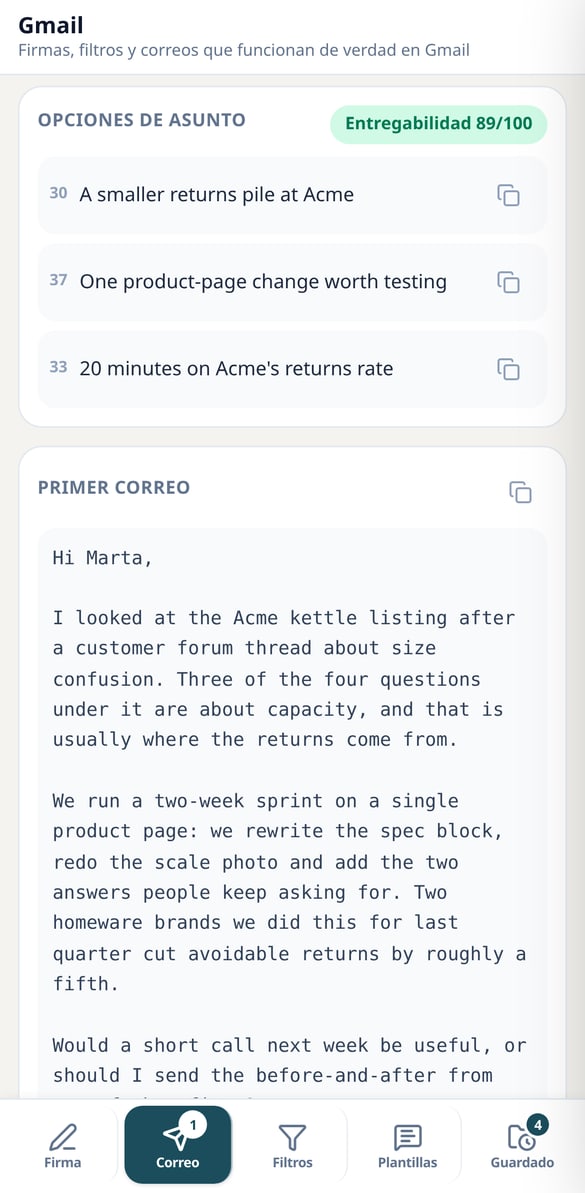
Discover every feature in detail
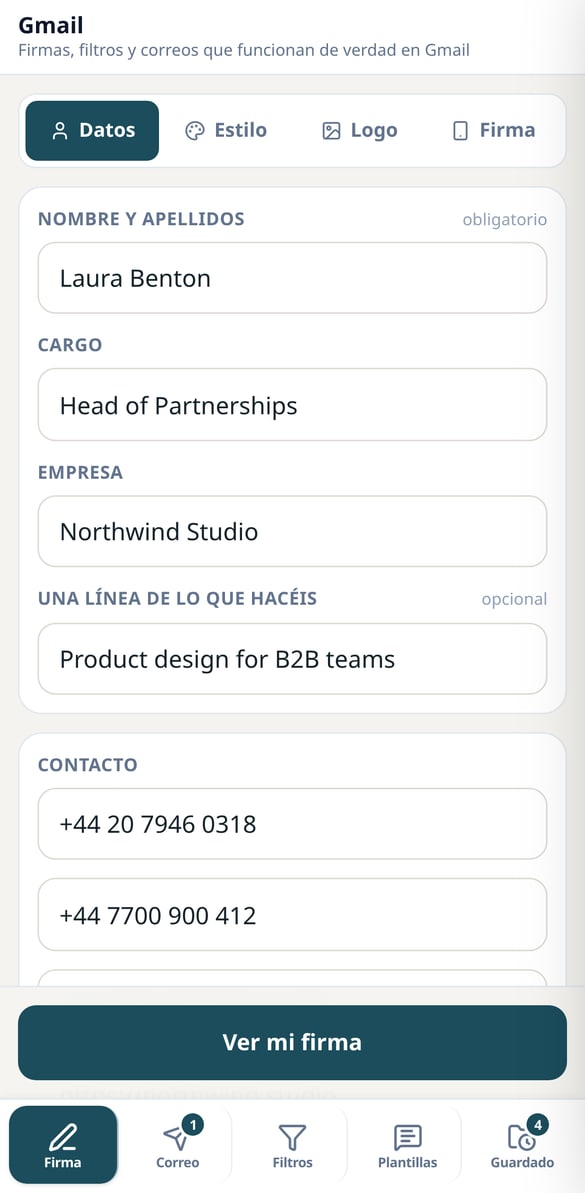
Gmail Signature Generator: HTML ready to paste
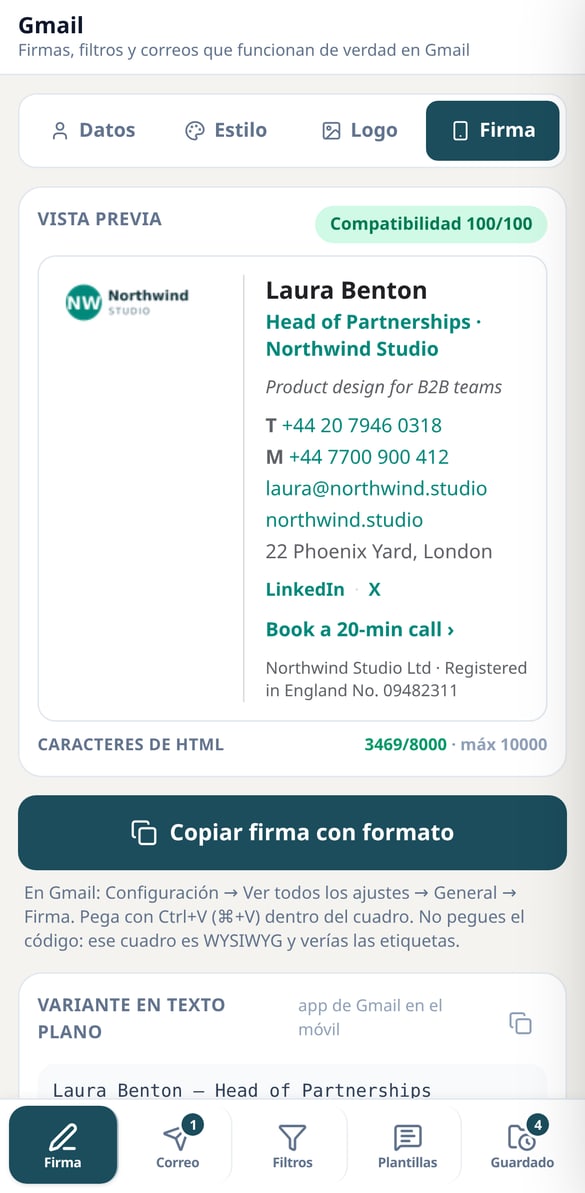
Create your Gmail signature by filling in your details: 6 styles, 7 colors, and 7 web-safe fonts, HTML with tables and inline styles that Gmail won’t break, dark mode notice, and a plain text version for mobile. Free and no need to connect your inbox.
Try it free
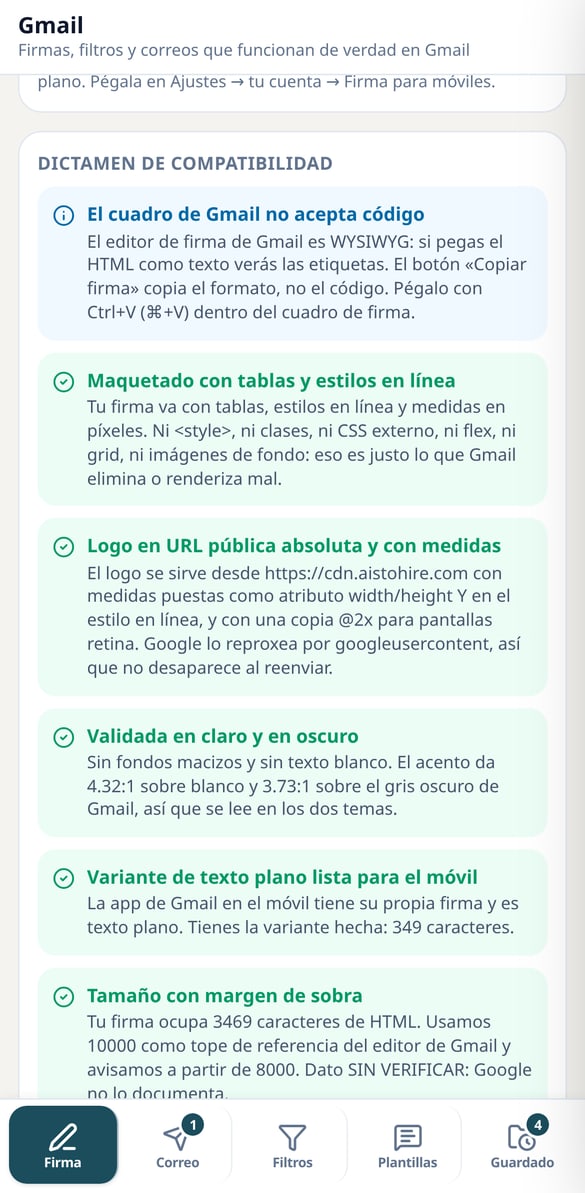
Gmail signature in dark mode: report and measured contrast
Check if your Gmail signature holds up in dark mode: 7 checks per signature, actual contrast of your color on white and on Gmail's dark gray, logo alert with white background, and character counter. Free and no need to connect your inbox.
Try it free
Cold email writer with follow-up sequence
Write your cold email and its three follow-ups at once: multiple subject line options, short body, deadlines, GDPR block, and deliverability note. Free without registration.
Try it free
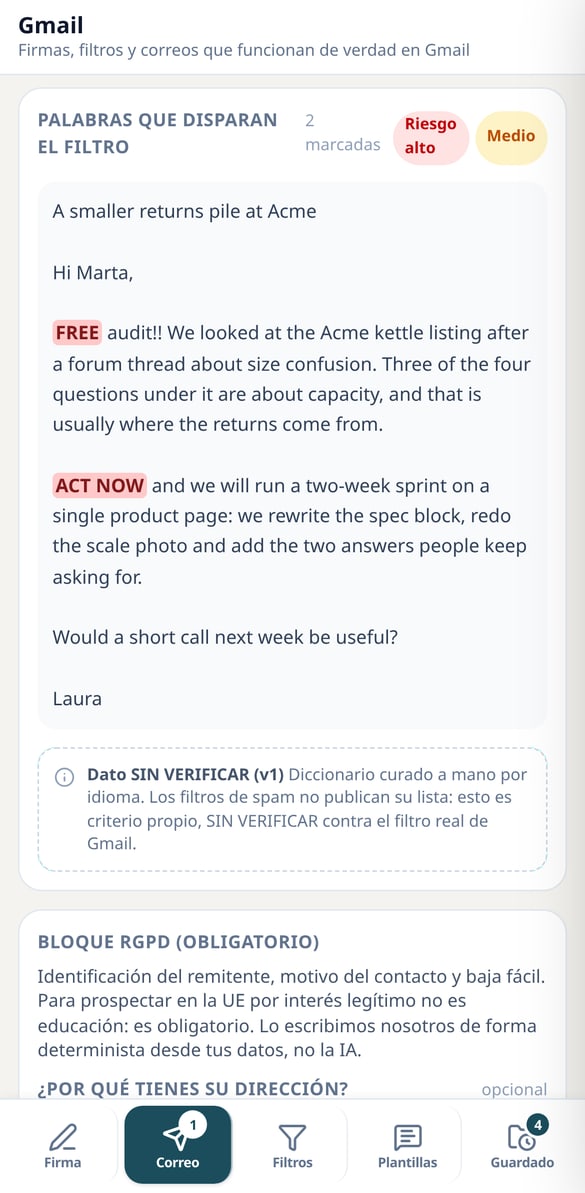
Spam filter triggering word checker in Gmail
Paste the subject and body of your email and it will highlight in the text the high and medium risk words that trigger the spam filter. Word list available in 6 languages, in your browser: free, instant, and no registration.
Try it free
GDPR Block for B2B Cold Emails: Legal Text Ready to Copy
Generate the GDPR text that every cold email needs in the EU: who you are, why you have that address, and how to unsubscribe. It is built by the server from your data, not AI, and the audit alerts if anything is missing. Free and no connection to your inbox.
Try it free
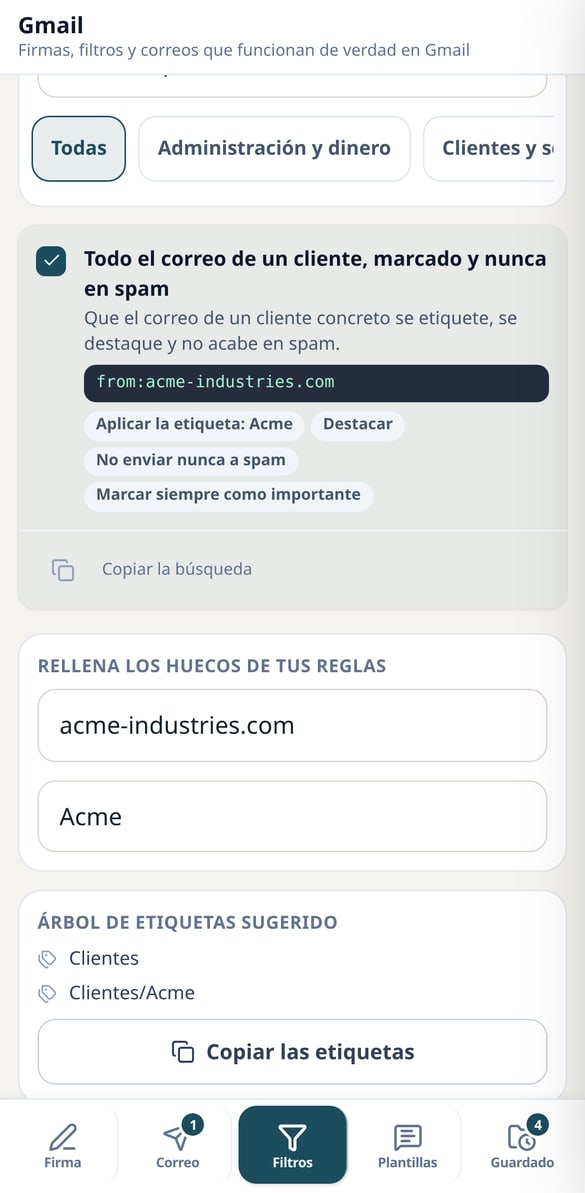
Gmail filter and label examples: 17 ready recipes
Describe your inbox problem and get the recipe: the exact Gmail search (from:, subject:, has:attachment, larger:), plain language actions, and the label tree. 17 recipes in 7 groups, free and no registration required.
Try it free
Import filters in Gmail: generate your mailFilters.xml for free
Create a mailFilters.xml with all the rules you need and Gmail installs them all at once from Import filters. Choose from 17 recipes, fill in your placeholders, and download the file in your browser: free, no account, and no connecting your inbox.
Try it free
Response templates for Gmail: 13 predefined responses by business type
Free catalog of 13 response templates for Gmail filtered by business type: quote, non-payment, complaint, invoice, out of office, and more. Your data auto-fills, copies with formatting, and we explain how to save them as Gmail templates. No registration.
Try it freeFour tools ready for Gmail
Години хартии, превърнати в история, която се разбира с един поглед.
Email signature: HTML for desktop and plain text for mobile
You fill in your details, choose from 6 styles, 7 accent colors and 7 fonts that exist on every device, and receive the signature already rendered with its verdict: what contrast your accent has on a light background and on dark mode's dark gray —both measured, not estimated—, whether the chosen style is safe in dark mode and how many characters it takes up against Gmail's editor limit. It copies with formatting in one click, and separately you get the plain-text variant for the mobile app's own signature, which doesn't support HTML. If you upload your logo, the server resizes it with sharp, strips metadata, generates the double-size copy for retina screens, warns you if it has a nearly opaque white background (the enemy of dark mode) and re-reads both files to measure them before giving them to you. Your signature text is never written by AI at any point.
Filters and labels: recipes with their exact search and an XML that installs them all at once
You describe the problem in plain language —invoices filing themselves, silencing notifications from a tool, separating what isn't addressed to you— and the deterministic search takes you to one of 17 hand-curated recipes, spread across 7 groups, without going through any AI. Each recipe includes the exact Gmail search string (from:, subject:, has:attachment, larger:, -to:me), the criteria and actions exactly as they travel to the file, and the suggested label tree so you don't end up with thirty flat labels. And since Gmail lets you import filters from a file, you can download a mailFilters.xml with all the rules you've chosen and create them all at once from Settings. The file is built in your browser, so it costs nothing and needs no account. Honest warning: the XML schema is based on the public documentation for "Export filters" and is marked as unverified; if your account doesn't accept it, the text recipe does exactly the same job by hand.
Cold email: spam checker, form audit and GDPR block
Paste any email and the audit scores it instantly with eight checks, free and without registration: subject and body length, number of links and text-to-link ratio, risk of image-only email, whether the unsubscribe option is visible, whether you identify yourself as the sender, the words that trigger the spam filter with a curated dictionary in the platform's six languages, and the classic "you're shouting" from capitals and exclamation marks. If you want AI to write it, a single call returns several subjects to choose from, the short body and a follow-up sequence with its timing; the GDPR compliance block —who is writing, why they're writing to you and how to unsubscribe— is written by the server deterministically, not by AI, because that's exactly what can't be improvised. Next to it is the catalog of 13 reply templates across 5 sectors (quote, complaint, non-payment, absence, referral) with the placeholders for your name, company and phone already filled in from your profile, ready to save as a Gmail template.
From your data to the clipboard in three steps
Регистрирайте се
Създайте акаунта си и добавете профил за всеки член на семейството.
Сканирайте докладите си
Снимка или PDF на всяко изследване или доклад от консултация. Преглеждате какво е прочел ИИ и го запазвате в профила на този човек.
Консултирайте се и питайте
Вижте развитието в графики, записвайте прегледите и питайте асистента каквото искате за историята си: той отговаря, като цитира изходния доклад.
Frequently Asked Questions
Latest blog articles
Guides and news to get more out of it

Gmail shuts down 'Send as', POP, and Gmailify in January 2027: what to do if you use a single inbox for all your addresses
Gmail is removing 'Send as', POP, and Gmailify in January 2027: official dates, what will still work, and three options for freelancers.
Why Your Emails End Up in Spam in Gmail (and What Changed: Now They Are Rejected, Not Filtered)
Gmail no longer filters: it rejects. Complaints below 0.30%, SPF, DKIM, and DMARC from 5,000 daily sends and what to do if you send low volume.
Your new signature, in five minutes
Започнете с един човек и един доклад: за пет минути имате първата си подредена история.