 Gmail
Why Your Emails End Up in Spam in Gmail (and What Changed: Now They Are Rejected, Not Filtered)
Team at AiToolsForAppsWritten with AI assistance16 min readIn summary
- Gmail is no longer limited to filtering: it rejects. Since November 2025, email that does not meet its requirements receives error responses in the SMTP dialogue itself —temporary (
421) or permanent (550)— instead of discreetly ending up in the spam folder (Gmail's Bulk Sender Requirements in 2026, WP Mail SMTP, accessed 12-11-2026). - The number that matters is the complaint percentage. Google asks to keep it below 0.10% and marks 0.30% as a ceiling that should not be reached (email sender guidelines, Google Workspace).
- From 5,000 messages per day to personal Gmail addresses, SPF and DKIM are mandatory, a DMARC record (minimum
p=none), alignment of theFrom:domain, and one-click unsubscribe. - The bulk sender label does not expire. Anyone who crosses that threshold even once is permanently classified as a bulk sender (FAQ on sender guidelines, Gmail).
- If you send low volume, your lever is not technical, it's editorial: identify yourself well, visible unsubscribe, healthy text-to-link ratio, no single-image emails, and be careful with vocabulary that triggers the filter.

If you have been prospecting by email for years and lately notice that responses have dried up without explanation, it’s probably not your copy: it’s that the mailbox rules have changed and no one told you. This article reviews what Gmail demands today, with figures and dates, and what a freelancer or a small business sending fifty emails a week can do without a technical department. At the end, you will also see how aiGmail, the AI toolkit for Gmail from AiToolsForApps, fits into the part of the problem that does depend on you: the email itself.
What exactly changed in Gmail in November 2025?
Gmail went from hiding non-compliant email to rejecting it. Until then, a message without proper authentication would still be delivered and end up in the spam folder; since November 2025, Google has tightened the enforcement of its requirements and the message receives an error in the SMTP conversation: first temporary notices and delays with 421 codes, then permanent rejections with 550 codes (Gmail's Bulk Sender Requirements in 2026, WP Mail SMTP, accessed 12-11-2026).
The difference is more significant than it seems. An email in the spam folder exists: the recipient can find it by searching, can mark it as "not spam," and you remain unaware. A rejected email does not come to exist in the inbox: your server receives a bounce and, if you use a sequencing tool, that bounce is counted and messes up your metrics.

The good side, if you want to see it that way, is that the rejection is information. Before, you worked blindly; now a bounce with a code literally tells you what is missing.
What do Gmail bounce codes mean?
Codes that start with 4 are temporary (your server will retry) and those that start with 5 are permanent (the message is considered lost). The second number identifies the specific cause, and Google publishes the list in its SMTP error documentation.
| Code | Type | What's happening |
|---|---|---|
421 4.7.28 | Temporary | Gmail detects unusual volume from your IP, domain, or range |
421 4.7.30 | Temporary | The message is limited because DKIM did not pass |
550 5.7.25 | Permanent | The sending IP does not have a PTR record (reverse DNS) |
550 5.7.26 | Permanent | Unauthenticated sender: missing SPF or DKIM, or DMARC policy failure |
550 5.7.27 | Permanent | The message did not pass SPF |
550 5.7.28 | Permanent | Unusual volume of unsolicited mail: IP blocked |
550 5.7.1 | Permanent | Recipient policy, or violation of RFC 5322 format (missing or duplicated From: headers) |
Source: Gmail SMTP errors and codes, Google Workspace Admin Help (accessed 12-11-2026).
If your email provider returns a 550 5.7.26, it’s not a writing issue: it’s DNS. And conversely: if everything delivers clean but no one replies and the complaint percentage rises, then it is indeed the message.
What is the threshold for spam complaints that I cannot exceed?
The complaint percentage —how many people click "mark as spam" on your emails— is the key metric. Google asks to keep it below 0.10% and warns that it should not reach 0.30%, measured in Postmaster Tools (email sender guidelines, Google Workspace, accessed on 12-11-2026).
Translated into real numbers: 0.10% is one complaint for every thousand delivered emails. If you send 300 emails a month, just one angry person puts you well above the target. The less volume you have, the more expensive each click on "spam" becomes, because there is no base to dilute it.
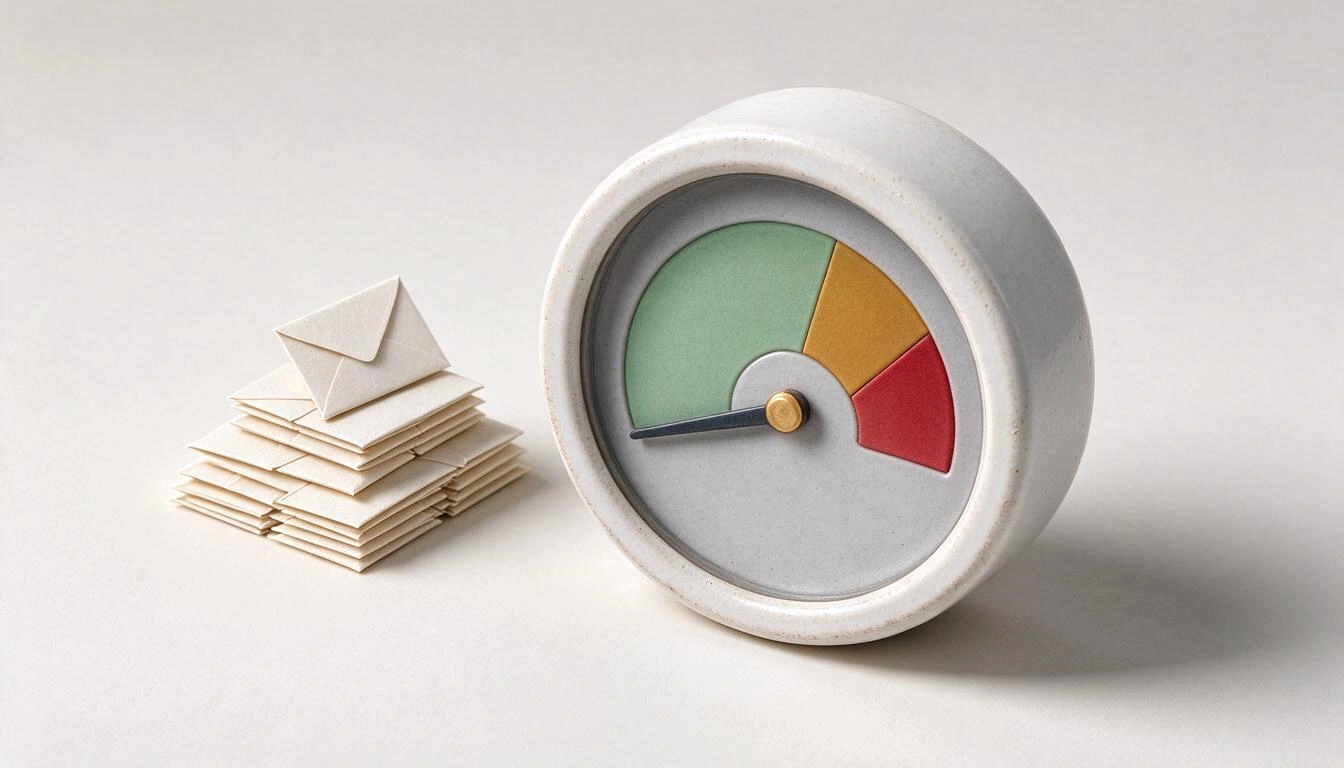
| Zone | Complaint Percentage | What to Expect |
|---|---|---|
| Safe | Below 0.10% | Recommended target by Google; margin for occasional spikes |
| Monitoring | Between 0.10% and 0.30% | Additional scrutiny and worse inbox placement |
| Enforcement | Above 0.30% | Active limitation, 421 errors, and risk of reputational damage to the domain |
Zones according to Google Bulk Sender Rules 2026, FirstSales (accessed on 12-11-2026); the values of 0.10% and 0.30% are those published by Google.
There is an administrative detail worth knowing: since June 2024, senders who exceed 0.30% are excluded from Google’s mitigation channels, and it is necessary to return below that threshold for several consecutive days to regain access (FAQ for senders guidelines, Gmail; WP Mail SMTP, accessed on 12-11-2026). In other words: exceeding it not only punishes delivery, it also removes the backdoor for requesting help.
From how many emails a day am I a "bulk sender" for Gmail?
From 5,000 messages in 24 hours to personal Gmail addresses (@gmail.com and @googlemail.com). And the hardest data: anyone who meets that criterion even just once is permanently classified as a bulk sender; reducing the volume later does not reverse the label (FAQ for senders guidelines, Gmail, accessed on 12-11-2026).
Two nuances that catch many people:
- The count is aggregated. Messages from subdomains count towards the main domain, so splitting the sends into
news.yourdomain.com,sales.yourdomain.com, andinfo.yourdomain.comdoes not divide the threshold: it accumulates it (WP Mail SMTP; Gmail and Yahoo 2026 bulk sender rules, InboxLee, accessed on 12-11-2026). - Only personal accounts count. Emails to Google Workspace business addresses do not enter that count, although the general requirements do apply.
What technical requirements are mandatory and which are optional?
There are two levels. Every sender needs, at a minimum, SPF or DKIM, valid direct and reverse DNS, TLS connection, and correct RFC 5322 format. Bulk senders need SPF and DKIM, a published DMARC, and one-click unsubscribe. This is the separation set by the official Google guidelines in effect since February 2024.

| Requirement | Every Sender | Bulk Sender (5,000+/day) |
|---|---|---|
| SPF or DKIM | Mandatory (at least one) | — |
| SPF and DKIM | Recommended | Mandatory, both passing |
| DMARC | Recommended | Mandatory, minimum p=none |
Alignment of From: with the SPF or DKIM domain | Recommended | Mandatory |
| Valid direct and reverse (PTR) DNS | Mandatory | Mandatory |
| TLS connection | Mandatory | Mandatory |
| RFC 5322 format and truthful sender name | Mandatory | Mandatory |
One-click unsubscribe (List-Unsubscribe + List-Unsubscribe-Post) | — | Mandatory in commercial and subscribed emails |
| Complaints below 0.30% | Mandatory | Mandatory |
Source: email sender guidelines, Google Workspace (accessed on 12-11-2026).
Alignment is the part that is most misunderstood. It is not enough for SPF or DKIM to "pass": the domain that appears in the From: that the recipient sees must match the authenticated domain. If you send from [email protected] but the authentication is provided by your sending tool's domain, there is no alignment and DMARC fails even if the records exist.
And about the one-click unsubscribe: the List-Unsubscribe and List-Unsubscribe-Post headers are what makes Gmail display its own unsubscribe button next to your name. Google requires that these requests be attended to within a short period —48 hours according to the usual industry reading— and transactional emails (receipts, password recovery) are exempt (WP Mail SMTP, accessed on 12-11-2026).
What if I send a hundred emails a month? This isn’t for me
It is for you, but through another door. Formally, you are not a bulk sender and DMARC is not mandatory for you; in practice, you compete for the same inbox and without volume, you have no reputation to back you up, so Gmail decides with the only thing it has: the message itself and how the recipients react to it.
What does move the needle when volume is low:
- Identify yourself as a sender from the first line. Name, company, and what you do. An email that doesn’t say who it’s from is, by definition, suspicious.
- Include a visible unsubscribe option even if you’re not required to. A phrase like "if you’re not interested, reply UNSUBSCRIBE and I won’t write to you again" turns a click on "spam" —which harms you— into a response —which doesn’t.
- Watch the text/link ratio. A short email with three links and a pixel tracker looks a lot like bulk advertising. One or two links at most in the first contact.
- Never send an email that is just an image. Without text to analyze, the filter is left without legitimate signals and defaults to the worst; moreover, clients that block images show an empty email.
- Review the vocabulary. "Free", "guaranteed", "limited offer", "100%", all caps, and piles of exclamation marks are classic patterns that increase the spam score.
- Consistent and light signature. A signature with safe web fonts, a reasonable logo, and real contact information reinforces identification; a 400 KB signature in a single image does the opposite.
None of this is glamorous, but it is exactly the layer that a small sender can control one hundred percent without touching DNS.
Is Gmail the only one that has tightened up? Yahoo and Outlook
No. Yahoo applies requirements equivalent to those of Gmail for bulk senders, and Microsoft joined later: as of May 5, 2025, it requires SPF, DKIM, and DMARC aligned to the domains sending 5,000 or more emails daily to outlook.com, hotmail.com, and live.com, rejecting with code 550 5.7.515 when not met (Microsoft DMARC Requirements, dmarcreport, accessed 12-11-2026).
| Provider | Threshold | Requires | Typical Rejection | Since |
|---|---|---|---|---|
| Gmail | 5,000/day to personal accounts | SPF + DKIM + DMARC, alignment, one-click unsubscribe | 550 5.7.26 | Feb. 2024, tightened in Nov. 2025 |
| Yahoo | 5,000/day | Requirements equivalent to Gmail | Rejection for authentication | Feb. 2024 |
| Microsoft (Outlook/Hotmail/Live) | 5,000/day | SPF + DKIM + DMARC with alignment | 550 5.7.515 | May 5, 2025 |
Sources: Gmail and Yahoo 2026 bulk sender rules, InboxLee and dmarcreport, accessed 12-11-2026.
The practical conclusion is that there is no longer an "easy" mailbox to redirect the campaign to. The three big ones ask for the same.
Where can all this be seen? Postmaster Tools, in its new version
In Google Postmaster Tools. It’s free, activated by verifying the domain via DNS, and it’s the only official source of your complaint percentage as Google counts it. During 2026, the tool has been reorganized around a Compliance Status screen that directly tells you whether you meet the requirements or not, and in June 2026 Google added a deliverability analysis section that translates signals (complaints, authentication errors, SMTP errors, volume) into plain language recommendations (Suped, accessed 12-11-2026).
Two honest warnings: Postmaster Tools only shows data from a certain daily volume, so a very small sender will see the screen almost empty. And the old version’s domain and IP reputation panels are no longer there, which has generated quite a bit of noise in the industry. For those who send little, the source of truth remains the response rate and the bounces returned by their own server.
In Spain, there is another layer: GDPR and LSSI
Complying with Gmail does not make you compliant with the law, and vice versa. They are two different questions: GDPR decides if you can process that contact data, and the Law on Information Society Services decides if you can send that commercial communication. Its article 21 prohibits the sending of unsolicited advertising communications by email unless expressly authorized, with a specified exception for when there is a prior contractual relationship, the data was obtained lawfully, and the offer is for similar products (Law 34/2002, LSSI, consolidated text in the BOE, accessed 12-11-2026).
In practice, any cold B2B email you send should include, without excuses:
- Who you are: name, company, and, if you have it, postal address and website.
- Why you are writing to that specific person and where the contact came from.
- A simple and free opt-out option that actually works.
- Basic privacy information about the processing.
What’s interesting is that those four elements are, almost point by point, the same ones that help you avoid ending up in spam. Clear identification and easy opt-out are not a legal toll: they are signals of a legitimate sender.
A cold email that complies with Spanish law and a cold email that delivers well in Gmail look much more alike than they do to a bulk campaign from the 2000s.
How aiGmail fits into this part of the problem
The technical part —SPF, DKIM, DMARC, PTR— is resolved in the DNS of your domain, and no email tool can do it for you. The part that is automatable is the other: that the message is well-written, well-identified, with the unsubscribe option where it belongs, and without the patterns that trigger the filter. That’s what aiGmail does, the toolbox of AI tools for Gmail with signatures, filters, and cold email from AiToolsForApps, without asking you for access to the inbox: there’s no OAuth or connection to the Gmail API, you copy and paste what it generates.
What is directly useful after reading this article:
- A cold email assessment with eight checks on subject, body, links, single image email, presence of unsubscribe option, sender identification, spam vocabulary, and use of uppercase letters, with a dictionary of problematic words in six languages. You can use it without registering and without limit.
- A deterministically generated compliance block —not by AI— based on your data: identification with name, company, and website, the reason for contact, and legitimate B2B interest, a clear unsubscribe option like "reply UNSUBSCRIBE" and the postal address if you provide it.
- Cold email sequences with several alternative subjects, a body of between 50 and 160 words, and three follow-ups with their timelines, so you don’t resend the same text three times.
- A signature generator with safe web styles and fonts, control of accent color contrast on light and dark backgrounds, character counter with a warning before the limit, and a plain text variant for mobile signatures.
- Exportable filter and label recipes to a single file
mailFilters.xmlthat is imported into Gmail settings, useful for separating prospecting from the rest of the inbox and not losing responses.
It does not promise deliverability —no one can— but it removes from the table the mistakes made by negligence.
Frequently Asked Questions
Why are my emails suddenly going to spam in Gmail?
Usually for one of three reasons: incomplete or poorly aligned authentication in your domain’s DNS, a percentage of complaints that has risen above 0.10%, or a message with signs of bulk email (many links, single image, no unsubscribe option, promotional vocabulary). If you also receive bounces with codes 421 or 550, it’s not the filter: it’s a rejection, and the code tells you the cause.
Does Gmail reject emails or just filter them?
Both, depending on the case. Since November 2025, emails that do not meet authentication requirements can be rejected in the SMTP dialogue itself, temporarily with codes 421 or permanently with codes 550, instead of being delivered to the spam folder (WP Mail SMTP, consulted on 12-11-2026).
How many emails can I send per day without being a bulk sender in Gmail?
Fewer than 5,000 messages in 24 hours to personal Gmail addresses, counting all subdomains of the same main domain. Crossing that threshold even once classifies the domain as a bulk sender permanently (FAQ for senders guidelines, Gmail).
Do I need DMARC if I send few emails?
It is not mandatory below 5,000 daily messages to personal Gmail accounts, but it is recommended: without aligned DMARC anyone can impersonate your domain and you bear the reputational damage. What is mandatory for all senders is to have at least SPF or DKIM, valid reverse DNS, and TLS connection (senders guidelines, Google).
What words cause an email to go to spam?
There is no official list from Google, and no single word condemns an email. What matters is the accumulation of signals: promotional terms like "free", "guaranteed", or "limited offer", sustained uppercase letters, repeated exclamations, many links, and little text. The risk lies in the whole, not in loose vocabulary.
Can I remove the bulk sender label if I lower the volume?
No. According to Gmail documentation, the classification has no expiration date: anyone who reaches the threshold at least once is considered a bulk sender permanently, even if they later send much less (FAQ for senders guidelines, Gmail).
Is B2B cold email legal in Spain?
It depends on how it’s done. The GDPR allows legitimate interest for professional prospecting, but Article 21 of the LSSI prohibits unsolicited commercial communications by email except for specified exceptions, so both checks must be passed. In any case, clearly identifying yourself and offering a simple and free unsubscribe option is required (Law 34/2002, LSSI).
Does it help to ask the recipient to mark me as "not spam"?
It helps if you already have a relationship and the email interests them, because it’s a positive signal that Gmail registers. It does not work as a delivery strategy: if the message doesn’t even reach the inbox because it has been rejected due to authentication, the recipient has nothing to mark.
What to do with this this week
If you send low volume, the sensible order is: check that your domain has SPF and DKIM passing and aligned with the From: you use, look at your own server's bounces for 550 codes, and then review the message —identification, visible unsubscribe, counted links, no just-image— before prospecting again. The first is fixed by your email provider or your DNS; the second you fix yourself, today.
For that second half, there is aiGmail, from AiToolsForApps: a spam verdict of eight checks, an identification and unsubscribe block generated from your data, sequences with follow-ups and a signature generator, all without accessing your inbox. You can try the verdict and the signature without creating an account in the AI tools for Gmail with signatures, filters, and cold email, and claim your work later if you decide to register.
Run your next cold email through aiGmail's spam judgment and generate your signature and identification block in one minute, without creating an account and without giving access to your inbox.
Run your next cold email through aiGmail's spam judgment and generate your signature and identification block in one minute, without creating an account and without giving access to your inbox.Keep reading
View all articles →
Gmail shuts down 'Send as', POP, and Gmailify in January 2027: what to do if you use a single inbox for all your addresses

Broken Geode in Geometry Dash 2.2091: which mods are not working and how to keep creating

DLS 27 in December 2026: what is confirmed, what is not, and what happens to your club, your squad and your kits when you update
