See your stickers inside a LINE chat before anyone else sees them
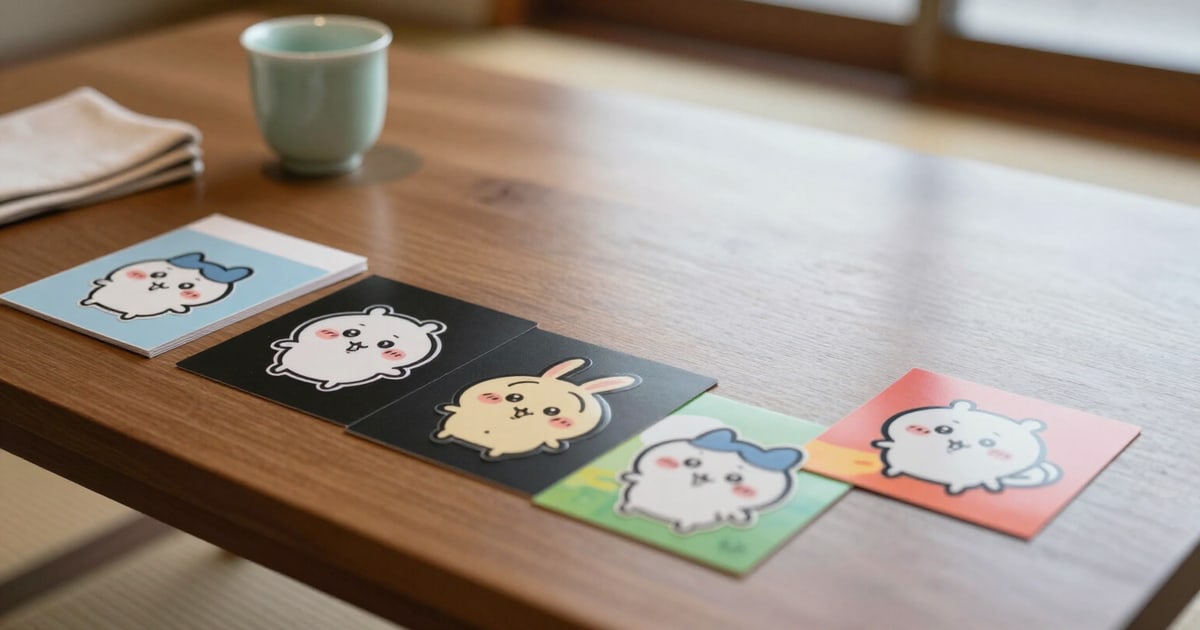
A replica of the LINE conversation with the classic background, light theme, dark mode, and a saturated photo background, all with a single tap. The same sticker changes its appearance in each: the halo invisible on blue stands out on black.
A sticker is not judged on a grid with a checkered background at 300 pixels: it's judged at 124 pixels, next to a green bubble, on the background used by the recipient.
The simulator is a replica of the LINE chat window built into the app: two filler messages to give the real scale of a conversation, the green LINE bubble on the right, and your pieces sent at their usage size —124 px wide, as seen by the person opening the chat—, not at catalogue entry size.
In the top right, there are four background buttons: the classic LINE background, light theme, dark mode, and a saturated photo background with strong color splashes. They are switched via CSS, so the change is instant and doesn't consume a single request or AI generation: you can cycle through all four twenty times while you decide. The background you choose is saved in your preferences, and the app reopens with it.
This tour through the four backgrounds is the tool for detecting two flaws that no checklist can judge: the halo —the pale semi-transparent fringe left by an imperfect alpha cutout, invisible on blue and glaring on black— and the outline, which a dark-ink character needs to avoid disappearing in dark mode. If any of your pieces has a halo warning in the LINE Pass report, the dark mode button appears with an amber dot for you to check right there; and if you are in dark mode, there's a halo, and the pack has no outline, the app offers to apply a fine outline to all pieces at once, without regenerating anything with AI.
To review an entire pack without forty taps, there's the «Play Pack» button: it sends the pieces to the chat one by one every 0.6 seconds —a set of 40 is reviewed in about 24 seconds— and stops with the same button. If the pack contains emojis, they are not previewed as large stickers, which would be misleading: they are embedded within a line of text at 18×18 pixels, with crisp pixel rendering, which is exactly how they will be used. And in packs with a reserved gap for the name or message, the sample text is superimposed in its reserved area. Tapping any sticker in the chat opens that piece's detail view for regeneration.
Try Multi-background Chat Simulator right here
Use it free without an account. If you want to save your result, you can sign up afterwards.
Save / Sign upBenefits of Multi-background Chat Simulator
Four real backgrounds, not just one
the classic LINE background, light theme, dark mode, and a saturated photo. Whoever receives your sticker has one of the four, and you've seen yours on all of them.
Dark mode reveals the halo
the pale fringe of an imperfect cutout is invisible on the blue background and obvious on black. One tap and you see it, before a buyer does.
Switching costs nothing
chat wallpapers are changed via CSS in the browser, without server requests and without spending AI generations. Go through all four as many times as you like.
Use size, not catalog size
the sticker is rendered at 124 px next to a green bubble and two filler messages. The conversation scale is what makes the preview honest.
A pack of 40 stickers in 24 seconds
«Play pack» sends them to the chat one every 0.6 s and stops when you want, instead of forty taps on the thumbnail strip.
Emojis are judged embedded in the text
at 18×18 px within a sentence, as they are really used, and not as giant stickers that would make you approve an illegible drawing.
The warning appears where the problem is
if there’s a halo, the dark mode button has an amber dot; and with the dark chat wallpaper in front, the app offers to add a thin outline to all stickers in one go.
From preview to fix without getting lost
tap the sticker inside the chat and the detail view for that specific sticker opens for regeneration. You don’t have to remember which one was number 17.
Create a pack and place it in a LINE chat
Enter as a guest, generate your first stickers with the free AI generations, and see how they look on all four chat backgrounds. The simulator works without creating an account; an account is only requested when downloading the ZIP.
In the features that use AI, responses are generated by artificial intelligence and are not a substitute for professional advice.