 YouTube
Ask Studio, the AI of YouTube Studio: what it does, who already has it, and what your channel can do while you wait for it
Team at AiToolsForAppsWritten with AI assistance19 min readIn summary
- Ask Studio is the AI assistant integrated into YouTube Studio: it summarizes your analytics, interprets comments, and proposes ideas, always based on the private data of your own channel (Ask Studio in the YouTube Help Center, consulted on November 12, 2026).
- Since July 16, 2026, YouTube has been testing a redesigned Studio where the Analytics tab is renamed Insights and four AI cards appear: Channel Summary, Content Patterns, Audience Loyalty, and Video Summary (analysis of the Insights redesign, August 25, 2026).
- These four cards are only visible to channels that already have access to Ask Studio, and their broader rollout began on November 5, 2026 (news on the new Insights). There is no announced date for when everyone will have access.
- The headline "only the United States and only in English" comes from the first phase of the product (coverage from Search Engine Journal, October 27, 2025). The official help page states something different today: available for most creators, with exclusions and with the language tied to your interface.
- No external tool sees your retention, impressions, or your CTR: these are private channel data. What you can fix today, without waiting for any AI, are public measurements and limits: banner, profile picture, watermark,
@handle, chapters, and tags.
You read the headline —"YouTube now has AI that explains your analytics"— you opened Studio and there’s nothing. No star icon, no cards, no new tab. You are not doing anything wrong: Ask Studio and the Insights cards have been rolling out in pieces for a year and a half, and many small channels still haven't received it. This article separates what Ask Studio truly delivers from what the headlines have reported, and then delves into the part that does not depend on any privileged access: the measurements, limits, and format rules that YouTube publishes in writing and that anyone can correct this afternoon. It is the area where aiYouTubeCreators operates, the suite from AiToolsForApps to generate the banner, name, and YouTube channel metadata with verified specifications in front.
What is Ask Studio and what does it really deliver
Ask Studio is an AI assistant built into YouTube Studio that reads the data from your channel and returns it to you in plain language: performance summaries, themes and sentiment from comments, and proposals for ideas or titles. The official page defines it as "a creative AI companion integrated directly into YouTube Studio" and clarifies two important things: that the responses "do not reflect the views of YouTube" and that "the quality and accuracy of the responses may vary" (YouTube Help Center, consulted on November 12, 2026).
It is important to set the perimeter from the beginning, because that is where almost all the confusion lies:
- It works only on your own channels. It does not provide retention or classified comments from a competitor; the help itself states that it cannot access the private data of other channels.
- It is interpretation, not new data. The metrics it summarizes were already in Studio; what it adds is a prose reading.
- Conversations are automatically deleted after 30 days, and you can delete them manually before that (same help page).
- It is excluded for official artist channels, channels marked as made for kids, and creators under 18 years old.
The product's journey explains why everyone has read a different version: YouTube announced it in September 2025 as "a new AI chatbot" that offers "quick information and ideas to understand your analytics and your community data," and expanded it in October and November 2025 (timeline of YouTube updates, updated on November 9, 2026).
The four AI cards of the new Insights, one by one
The cards are the novelty of 2026 and they are not a chat: they are automatic summaries that appear within the Insights tab (the former Analytics) and summarize what your reports are already measuring. There are four, and each one answers a different question.
| Card | What it summarizes | Question it answers |
|---|---|---|
| Channel Summary | General trend of the channel in subscribers, views, and watch time | Where is the channel headed overall? |
| Content Patterns | Formats, themes, or durations that consistently perform above your average | What type of video works for me? |
| Audience Loyalty | Weight of recurring viewers in performance | How much of this comes from people who already watch me? |
| Video Summary | Quick read of how a specific video is performing against expectations | Has this video done well or poorly for me? |
Source of the descriptions: breakdown of the Insights redesign (August 25, 2026) and summary of the new Insights (November 5, 2026).
Two nuances that matter more than the cards:
- Everything is relative to your own channel. "Above average" means above your average, not the niche's. A channel with five videos has an average that doesn’t say much.
- The redesign brings something more. The old Trends tab becomes Research, with detection of outlier videos scored against the channel's usual performance in the first seven days (same source, August 25, 2026).
Utubeo's own analysis warns you bluntly: AI summaries are a starting point and must be verified against real metrics before deciding on any content.
Why doesn’t Ask Studio appear for you? The fine print of the rollout
Because the chatbot and the cards are two things with two different speeds, and the cards are lagging behind. The experiment of the redesigned Studio started on July 16, 2026 "for a limited group of creators" on desktop, and the four AI cards require access to Ask Studio: if you don’t have it, there are no cards (Miraflow, August 25, 2026). The broader rollout began on November 5, 2026, and is still by eligibility, not universal (utubeo).
Regarding the country and language, one must be honest, because public information has changed and many articles still cite the first photo:
| Aspect | First phase (Oct-2025) | Official help sheet (consulted Nov-12-2026) |
|---|---|---|
| Countries | Creators from United States | Available for most creators |
| Language | English only | According to the language of the YouTube interface, in eligible countries |
| Device | Desktop | Web browser and YouTube Studio mobile app |
| Who is left out | — | Official artist channels, made for kids channels, under 18s |
| Insights cards | Did not exist | Only channels with access to Ask Studio; no date for general availability |
Left column: Search Engine Journal, October 27, 2025. Right column: YouTube Help Center, consulted on November 12, 2026.
If you have it activated, it opens from the stars icon in the Studio interface. If you can’t find it, there’s no trick, no hidden setting, no waitlist form: access is determined by YouTube based on eligibility.
What no external tool can see (and it’s better if they tell you)
Retention, impressions, and CTR are private channel data: there is no public API that exposes them, so no third-party tool can see them, no matter what their pricing page implies. You are the only one who sees them, within your Studio, and only for your own videos.
The same applies to retention curves, average percentage viewed, traffic sources by type, and audience demographics: they are tied to channel ownership (channel analytics analysis, May 23, 2026). This has a very concrete practical consequence: any external promise built on your CTR or your retention is an invention. And a tool that works from the outside —ours included— can only analyze what is public: your published videos, their cadence, their titles, their descriptions, their chapters, and the technical status of your brand. It’s less glamorous and it’s verifiable.
For the same reason, you won’t read an income estimate or a growth forecast here. They cannot be calculated from the outside.
Half of your channel's health doesn't depend on any AI
There is an entire block of channel problems that doesn't need analytics, early access, or a language model: these are measures, formats, and limits that YouTube publishes in writing, and they are fixed once and for all. Moreover, this is the block that is most neglected in small channels because it doesn't appear in any report to alert you.
The banner: a canvas, three crops
A banner is a single image that YouTube crops differently on each screen, so the typical mistake is not the design, but placing important elements outside the area that everyone can see. The official specification recommends uploading 2560 × 1440 px, with a minimum of 2048 × 1152 px in 16:9, a safe area for text and logos of 1235 × 338 px, and a maximum weight of 6 MB (manage your channel branding, YouTube Help Center, consulted on November 12, 2026).
That safe area, translated to the recommended canvas of 2560 × 1440, is the figure that industry guides work with: 1546 × 423 px centered. And the crops by device, from that same file, look like this (banner size guide, August 17, 2026):
| Where it's seen | Area shown by YouTube |
|---|---|
| TV | The full 2560 × 1440 px |
| Desktop | Central strip of 2560 × 423 px |
| Tablet | 1855 × 423 px |
| Mobile | 1546 × 423 px — that is, the exact safe area |
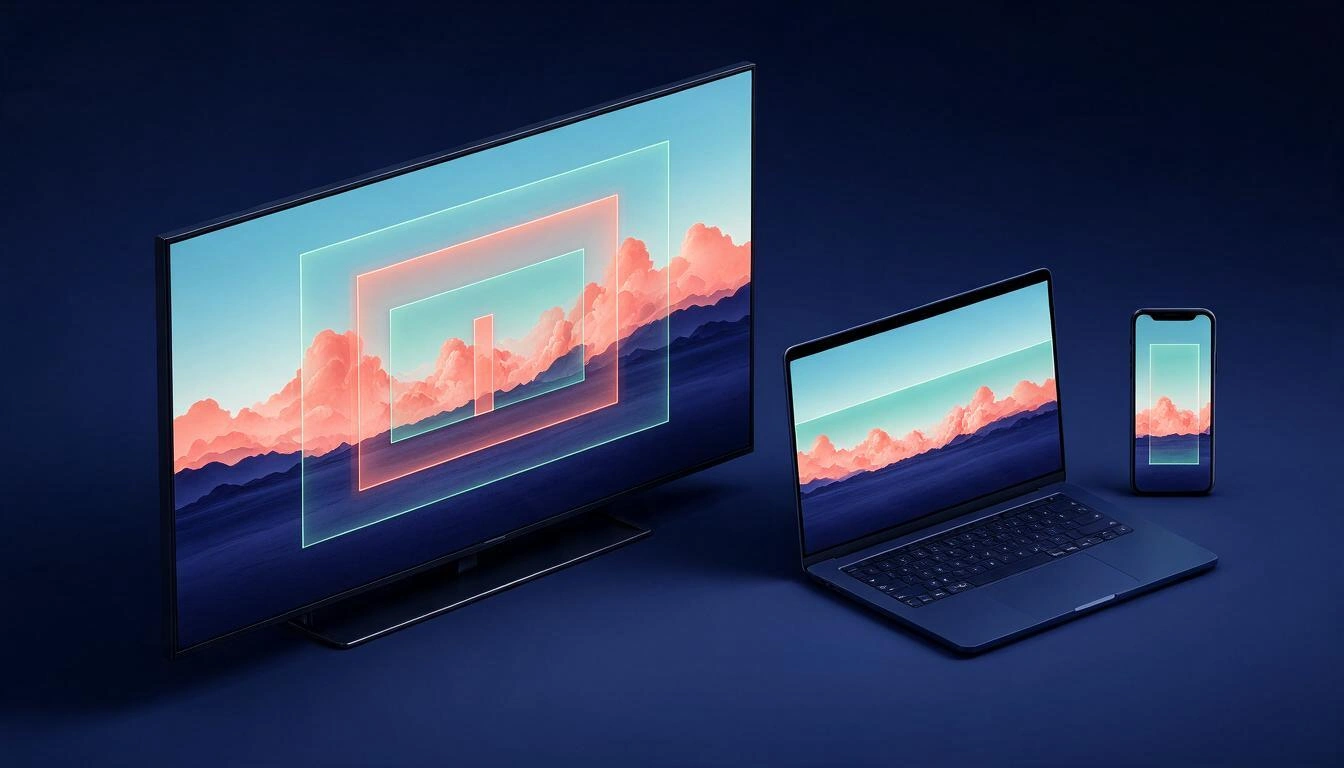
The rule inferred from the table: design for mobile and the wide views will resolve themselves. But there is a trap that is not in any table: on desktop and TV, your profile picture overlaps the banner from the left and the social links box from the right. A label perfectly centered in the safe area may be obscured by your own avatar in the desktop view. That's why a previewer that paints the three crops with the avatar and the links box on top detects in two seconds what a pretty template won't tell you.
The profile picture: 800 × 800 px that displays at 98 px
The profile picture is uploaded large and displayed small and cropped in a circle, so any fine detail disappears. YouTube does not publish a recommended upload size: it says it accepts JPG, GIF, BMP, or PNG (no animated GIFs), up to 15 MB, and that the image renders at 98 × 98 px (YouTube Help Center). The practical standard recommended by design guides is to upload 800 × 800 px and trust in the rescaling (YouTube size guide, updated for 2026).
The two consequences of that 98 px in a circle:
- Corners do not exist. Everything you place at the corners of the square gets cut off when applying the circular mask.
- A full name cannot be read. At 98 px, one or two initials, a bold symbol, or a very cropped face work. Three words, no.
The player watermark: 150 × 150 px with real transparency
The watermark is the only branding element that travels within the player, and it almost always fails for the same reason: a PNG without a real alpha channel. YouTube requires a square image of at least 150 × 150 px and less than 1 MB (YouTube Help Center). What the text doesn't say, but becomes clear as soon as you upload it, is that if the file has a "flat" white background instead of transparency, a white square appears floating over your video.
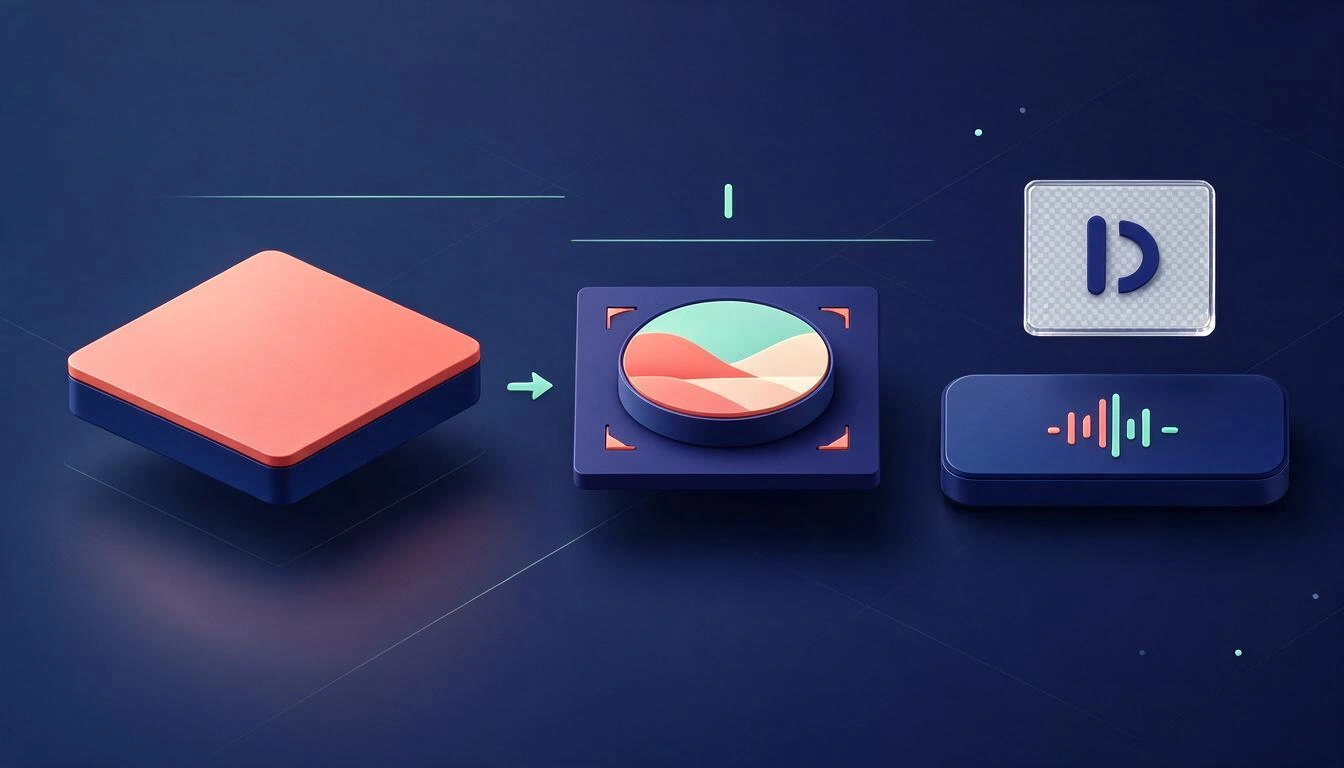
Checking it is not a matter of looking at the image in a viewer with a checkered background: it is a matter of reading the pixels and counting how many have alpha. A PNG can declare an alpha channel and have it fully opaque.
The @handle and channel name: the rules that are written
The @handle is the only field of your identity with a published and verifiable syntax, so there is no excuse for getting it wrong. According to the official documentation, a handle must have between 3 and 30 characters (1-10 in han/hangul, 2-20 in Ethiopian/hiragana/katakana), use letters or numbers from one of the 75 supported languages, not be in use, not resemble a URL or a phone number, and can include underscores, hyphens, periods, and Latin middle dots but not at the beginning or the end (edit your channel profile, YouTube Help Center, consulted on November 12, 2026). Additionally, they are case insensitive and their sale or transfer is prohibited.
The channel name is another story, and here lies a widespread temptation: writing it with "fancy" Unicode letters (mathematical bold, small caps, full-width italics) copied from a font generator. What needs to be understood is purely technical: those glyphs are not the letters that people type in the search bar. A bold mathematical A is a different code point than the Latin A. And, furthermore, not all devices or televisions have a font with those glyphs: when missing, the empty rectangle appears (tofu).
Hence the honest way to put it: there is no public study measuring how many views you lose by using rare letters, and anyone who gives you a percentage is making it up. What is verifiable is that the risk exists on two measurable axes —how similar the glyph is to the actual letter and what font coverage it has— and that a style that fails on both is a bad bet for a channel that wants to be found by its name.
Chapters and tags: two limits that YouTube silently enforces
Chapters and tags have hard and numerical rules, and when they are not met, YouTube does not notify you: it simply does nothing. No one sends you an email saying "I have ignored your chapters".
Chapters. For them to appear, the official documentation requires three conditions to be met simultaneously (add video chapters, YouTube Help Center, consulted on November 12, 2026):
- The first timestamp must start at
00:00. - There must be at least three timestamps, in ascending order.
- The minimum duration of each chapter is 10 seconds.
The actual failures are almost always the same: a list that starts at 00:42 because there is an intro before, two markers separated by six seconds, or a block copied from a script with the order broken. These are three deterministic rules: they are fixed with a parser, not with judgment.
Tags. The limit is 500 characters in total for all tags combined, not per tag, and the API documentation details two counting rules that almost no one applies: commas between elements count, and if a tag contains a space, the server treats it as if it were in quotes and those quotes also count —Foo-Baz is seven characters, Foo Baz is nine (property snippet.tags[] of the Videos resource, YouTube Data API, consulted on November 12, 2026).
That said, it is advisable not to exaggerate their importance: YouTube's own help reminds us that tags play a minor role in discovery compared to the title and description, and that adding excessive tags goes against their spam policies (add tags to videos). The goal is to stay within 500 without wasting them, not to fill them up.
Specification table for copying and pasting
| Element | Specification | Source |
|---|---|---|
| Banner, recommended canvas | 2560 × 1440 px, max. 6 MB | YouTube Help |
| Banner, minimum | 2048 × 1152 px, 16:9 | YouTube Help |
| Banner, safe area | 1235 × 338 px (≈ 1546 × 423 px on 2560 × 1440) | YouTube Help + measurement guides |
| Banner on desktop / tablet / mobile | 2560 × 423 / 1855 × 423 / 1546 × 423 px | Banner measurement guide (Aug-2026) |
| Profile picture | Renders at 98 × 98 px; max. 15 MB; JPG/GIF/BMP/PNG without animation (usual upload: 800 × 800 px) | YouTube Help + design guide |
| Watermark for player | Square, minimum 150 × 150 px, less than 1 MB | YouTube Help |
@handle | 3-30 characters; no dot/hyphen at the start or end | YouTube Help |
| Chapters | First at 00:00, minimum 3, minimum 10 s each, ascending order | YouTube Help |
| Tags | 500 characters in total, commas and quotes included | YouTube Data API v3 |
All consulted on November 12, 2026. These are figures that YouTube changes from time to time: if you copy them to your template, note the date beside.
What to do this week if Ask Studio hasn't arrived
Sort out the branding and metadata, which is something that doesn't depend on anyone else. While you wait for access to cards that will only summarize data you can already look at, there is a checklist that is completed once and left done.
- Open your channel on a TV —or simulate the crop— and check if your label survives the three frames and the overlay of the avatar and links.
- View your profile picture at the actual size it appears: 98 px in a circle.
- Download your current watermark and check if it has real transparency or a false background.
- Run your
@handlethrough the formatting rules and decide if your channel name truly needs special letters. - Take your last three videos and review the chapters against the three rules, and the tags against the 500 characters.
This is exactly the process that aiYouTubeCreators automates: the banner previewer with the three crops and the occlusion of the avatar and links works without registration; the branding kit composes the banner, the profile picture of 800 × 800, the watermark of 150 × 150 with verified alpha counting pixels, and the playlist cover of 1280 × 720, and checks each file against the dimensions, format, and weight before giving it to you; the name stylist organizes 18 Unicode styles with a risk traffic light and validates the @handle character by character; the channel analysis reads the public data —cadence, format mix, titling, health of descriptions and links— and the metadata study generates titles with the mobile crop in front, descriptions in three blocks, sanitized chapters according to the three rules, and tags with the 500 counter in view. It doesn't generate thumbnails: that is intentionally left out.
Frequently Asked Questions
What is Ask Studio exactly?
It is the AI assistant integrated into YouTube Studio that summarizes your analytics and community data, interprets comments, and suggests ideas and titles. It only works with the data from the channels you own and, according to the official sheet, its accuracy may vary and should not be used as professional advice (YouTube Help Center, November 12, 2026).
Why isn't Ask Studio appearing in my YouTube Studio?
Because access is granted based on eligibility and in phases, it is not activated from any setting. The four AI cards from Insights are also only visible to channels that already have Ask Studio, and its broad rollout began on November 5, 2026, with no date for general availability. Official artist channels, made for kids channels, and creators under 18 years of age are excluded.
Is Ask Studio only in the United States and in English?
That's how it was launched: the coverage in October 2025 described it as limited to creators in the United States and in English. The official help sheet, consulted on November 12, 2026, states that it is available for most creators and that in eligible countries you can use it in the language you have set in the YouTube interface. The Insights cards remain a partial rollout.
What are Channel Summary, Content Patterns, Audience Loyalty, and Video Summary?
They are the four automatic summary cards from the Insights tab: the overall trend of the channel, the formats and topics that exceed your average, the weight of returning viewers, and the reading of a specific video against what is expected. They were tested since July 16, 2026, and summarize metrics that already existed in your reports.
Can an external tool see my retention or my CTR?
No. Retention, impressions, CTR, traffic sources, and demographics are tied to channel ownership and are not exposed to third parties. Any external service claiming to measure them is selling you an unsubstantiated estimate. What is analyzable from the outside is everything public: videos, cadence, titles, descriptions, chapters, and the technical status of your brand.
What is the safe area of a YouTube banner?
The official help indicates a safe area for text and logos of 1235 × 338 px over the minimum of 2048 × 1152 px, which equals about 1546 × 423 px centered if you upload the recommended canvas of 2560 × 1440 px. That central area is also the only part that is visible on mobile.
Why doesn't YouTube show my chapters?
Almost always for one of these three reasons: the first timestamp is not 00:00, there are fewer than three chapters, or some chapter lasts less than 10 seconds. They also fail if the timestamps are not in ascending order. These are the conditions required by the official documentation, and if they are not met, YouTube ignores them without warning.
How many tags can I put on a video?
There is no number of tags; there is a character budget: 500 in total for all together, counting the separating commas and the implicit quotes of tags with spaces. And YouTube's own help warns that excessive tags violate their spam policies.
While AI Arrives, Fix What’s Already Written
Ask Studio is good news and, at the same time, modest news: it doesn’t give you new data, it explains it to you, and many channels still haven’t received it. The part of a channel's health that doesn’t depend on any privileged access —the banner that survives three cuts, the profile picture readable at 98 px, the watermark with real transparency, the well-formed @handle, the chapters that YouTube does recognize, and the tags within 500 characters— is published, verifiable, and can be fixed today. That’s what aiYouTubeCreators, from AiToolsForApps does: you can try the previewer and the banner, name, and metadata generator for YouTube channels without registering and keep the work afterwards. Without promising you growth, without estimating your income, and without inventing metrics that no one outside your Studio can see.
Try the banner previewer and the name, @handle, and channel metadata generator without registering: verified official dimensions, cleaned chapters, and tags within 500 characters.
Try the banner previewer and the name, @handle, and channel metadata generator without registering: verified official dimensions, cleaned chapters, and tags within 500 characters.Keep reading
View all articles →
Your @handle is now your name on YouTube: change rules, how many times, and what happens to the old one

Broken Geode in Geometry Dash 2.2091: which mods are not working and how to keep creating

DLS 27 in December 2026: what is confirmed, what is not, and what happens to your club, your squad and your kits when you update
