Try Instagram now, no sign-up needed
Instagram · Highlight covers, bio, mosaic and carousel, ready to upload
For anyone who posts on Instagram and fights the same battles every week: highlight covers that come out off-center, a bio that merges when you paste it, a mosaic that ends up reversed and a carousel that takes half an hour to lay out. Here the file comes out already cropped, measured and numbered. It does not connect to your account or ask for your password.
In the features that use AI, responses are generated by artificial intelligence and are not a substitute for professional advice.

Do you make your highlight covers by hand and then Instagram crops them off-center?
Instagram crops what you upload to highlights into a circle, breaks the bio wherever it likes and arranges posts from back to front. That is what ruins the work of anyone who designs their profile by hand or in Canva. These tools work with those rules written down: the cover is composed on the full vertical canvas of 1080x1920 with the pictogram inscribed and measured inside the circle Instagram crops, the bio is copied with invisible line breaks that survive pasting and with the 150-character counter based on real graphemes, and the mosaic is cut and numbered in the REVERSE order in which the pieces must be uploaded, which is exactly where almost everyone goes wrong. None of this talks to Instagram: there are no passwords, no accounts, no followers and no analytics. You download the files and upload them manually.
See the tools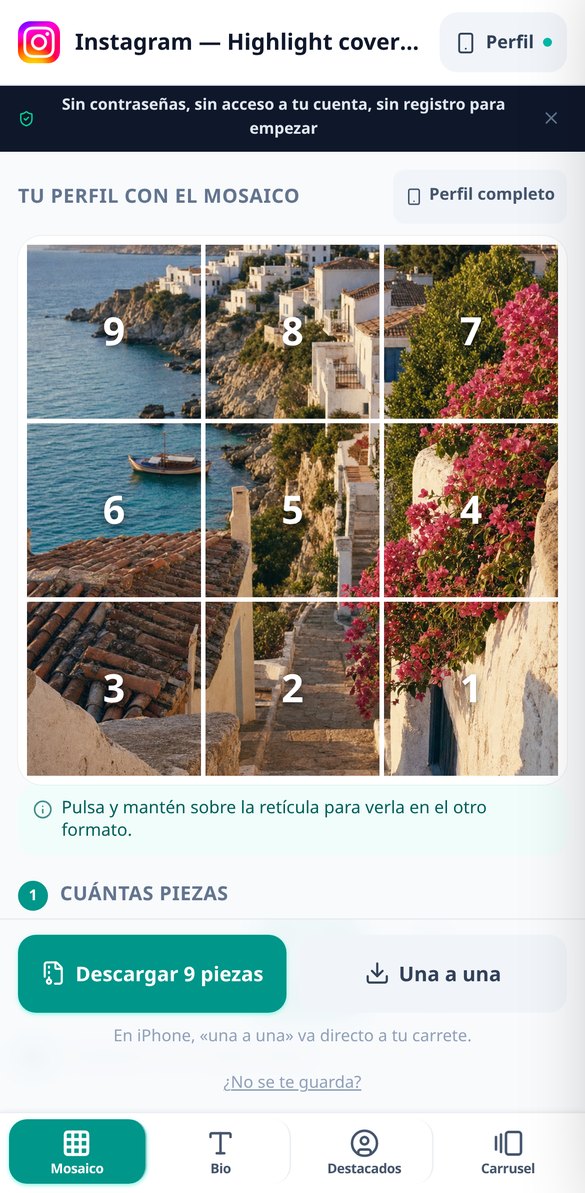
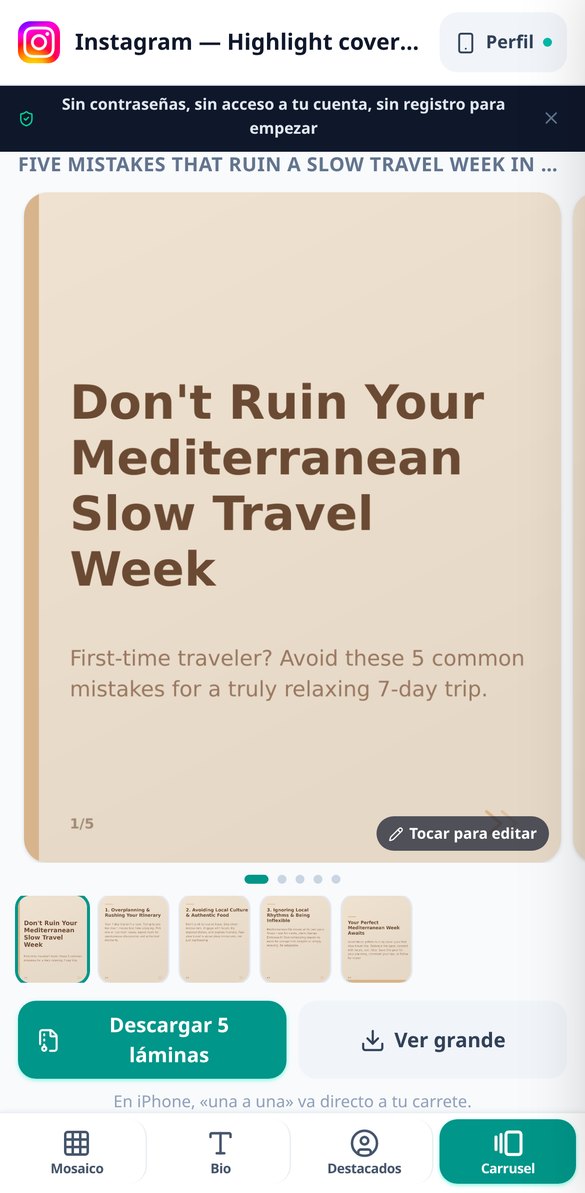
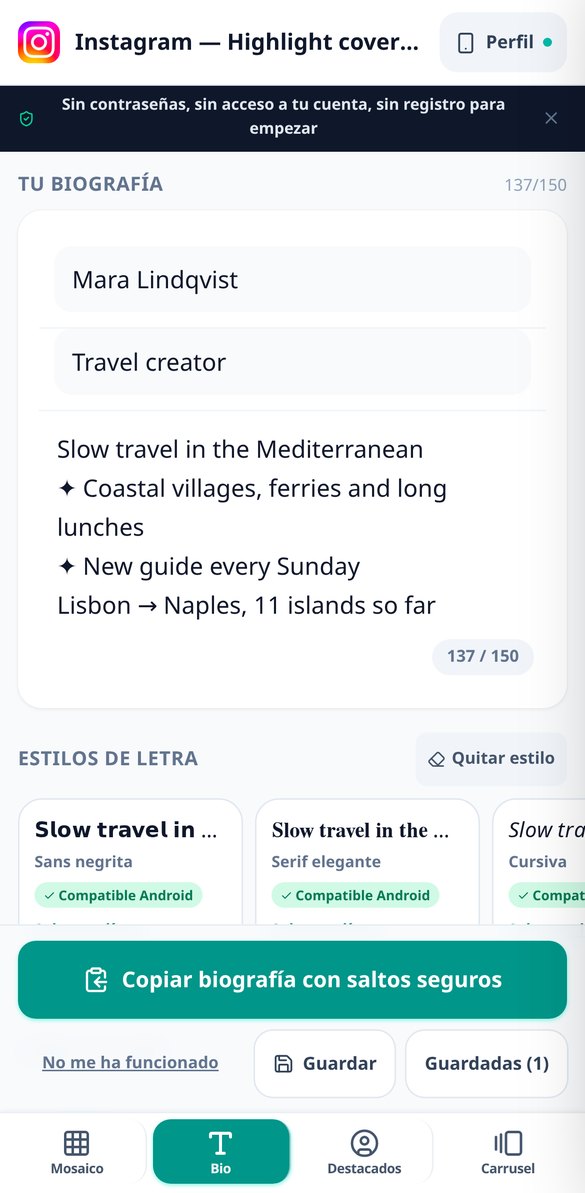
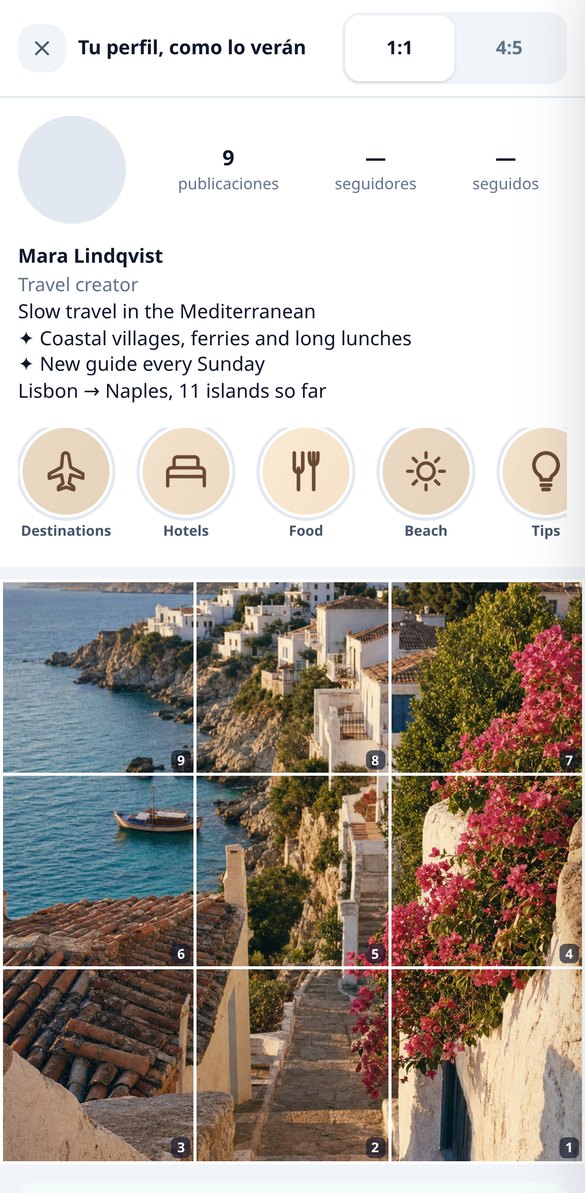
Discover every feature in detail
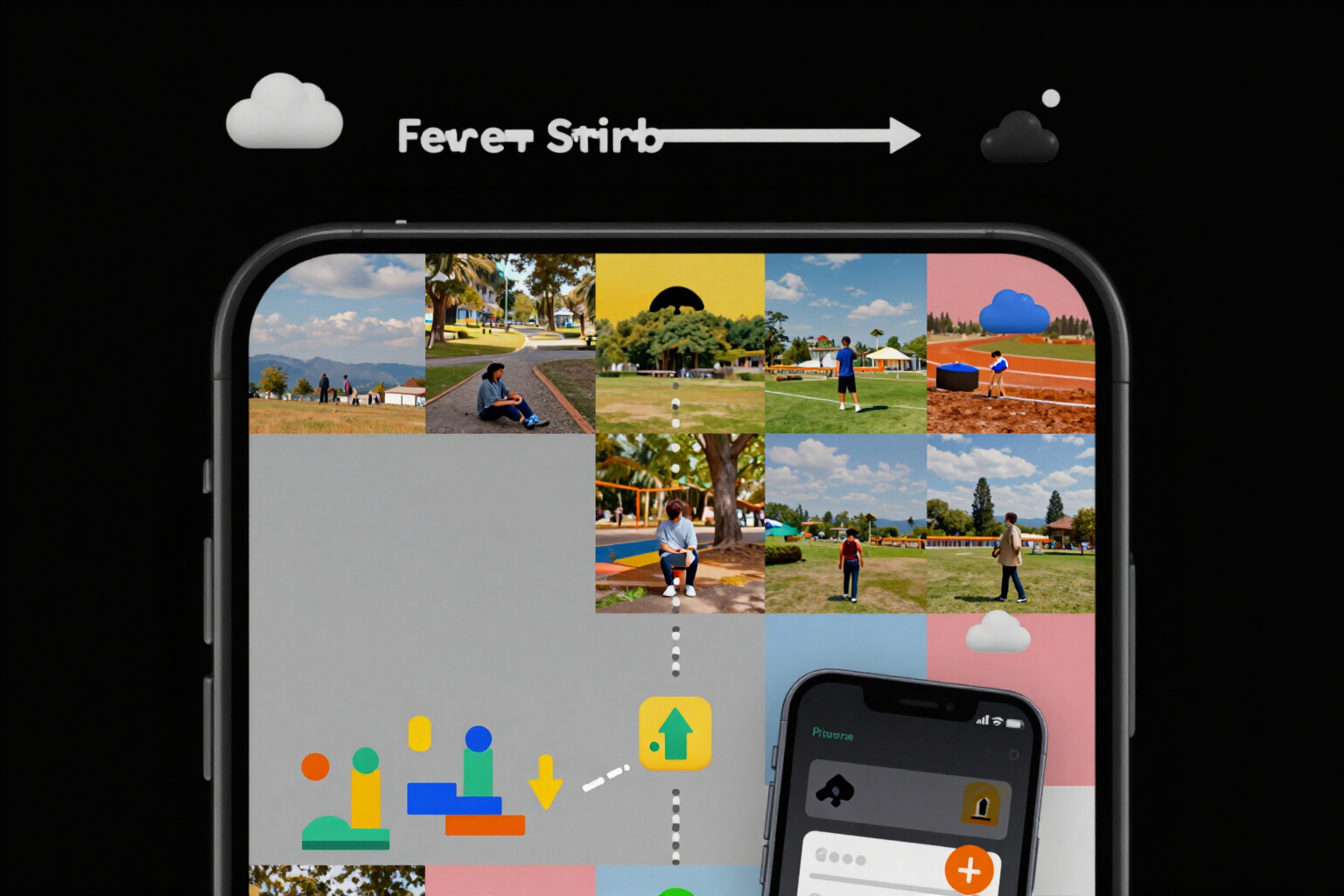
Split a photo into a 3x3 mosaic for Instagram with upload order
Cut your image into 3, 6, 9, or 12 pieces of 1080x1080 or 1080x1350 and it tells you in what order to upload them: piece 1 is the bottom right one. Free and no registration.
Try it free
Line breaks in Instagram bio: copy them without merging
Free Instagram bio editor that protects line breaks with an invisible character (U+200B), with a one-touch second method and a 150-character counter. No registration.
Try it free
Fonts for Instagram bio: 9 font styles that are visible
Convert your Instagram bio to nine Unicode font styles with compatibility marks by style: know which ones are visible on Android and which are not. Free and no registration.
Try it free
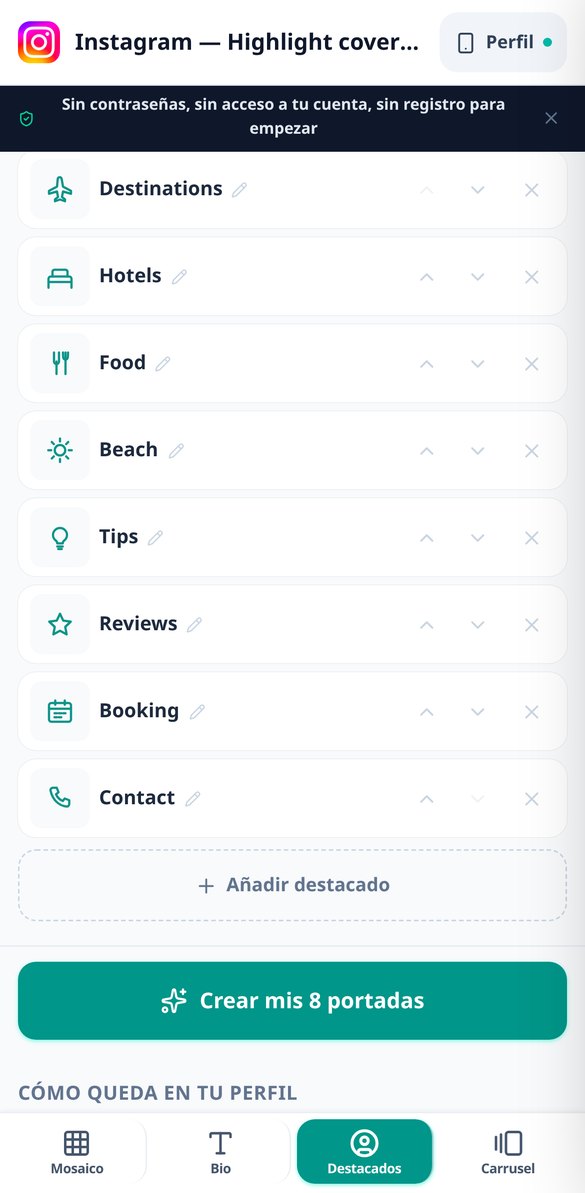
Instagram Highlights covers without pinch-to-zoom: fit measured in the circle
Generate up to 12 Instagram Highlights covers of 1080x1920 px with the icon already fitted in the 540 px circle. The fit is verified by measuring the alpha channel of the PNG, so you upload and accept the crop: no pinch-to-zoom or dragging.
Try it free
Create Instagram carousels with AI: script and 1080x1350 slides
Write the topic and the AI drafts the carousel script (hook, value points, and call to action) in a single request. The app designs up to 10 slides of 1080x1350 px with sharp, so there are no distorted letters. Editing the text or changing the template does not consume AI.
Try it free
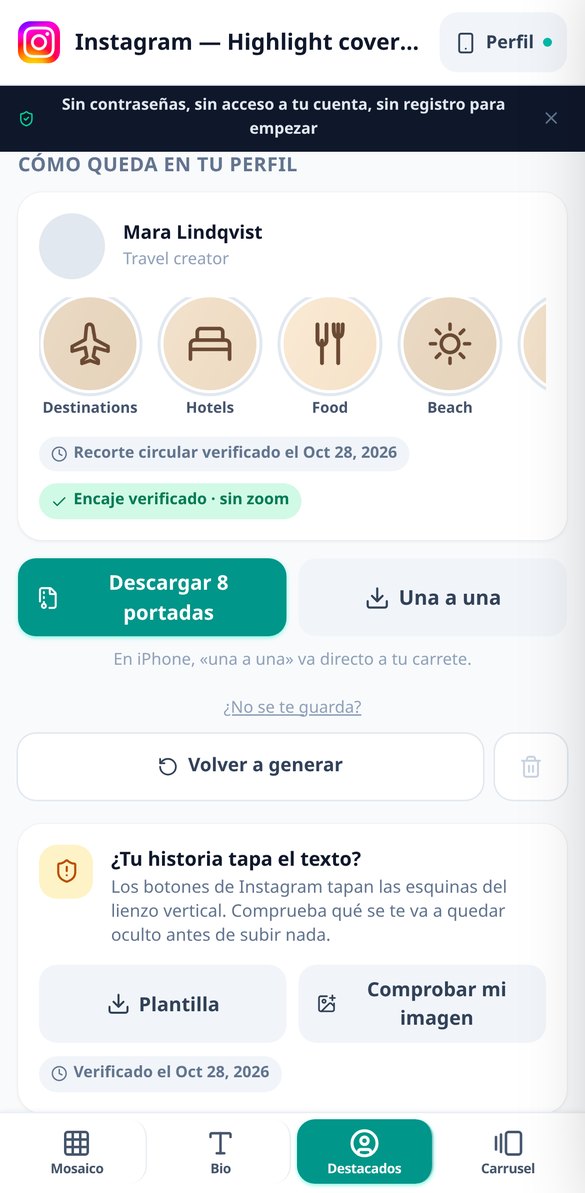
Instagram Profile Simulator: Preview Before Publishing and Reorder
Build your complete profile with the bio, highlights, and profile grid, and reorder the tiles by dragging them: the upload order recalculates automatically. Free and no registration.
Try it freeFour tools and a profile simulator
AI does not draw letters or pictograms: the icon comes from a vector catalog and the server composes each label. AI only paints an abstract background per cover set and writes a carousel script.
Highlight covers that are truly centered
You choose one of the 7 niches, one of the 6 visual styles and one of its 6 palettes, type the names of your highlights —8 are suggested per niche— and get the full set of 1080x1920 covers, siblings to one another because they share a single background. The pictogram is chosen automatically from a proprietary catalog of 60 recolorable vector pictograms (and you can swap it for another with one tap, without regenerating anything) and is inscribed in the 540 px circle that Instagram crops: it is not centered 'by eye' based on the drawing's bounding box; the actual ink of the pictogram is measured in the finished PNG and checked to make sure it fits. The contrast of the icon against the background is calculated and corrected if it falls short, and the background can be from a palette —no AI— or a single AI-generated texture for the whole set.

A bio with fonts that display and line breaks that don't merge
A bio editor that runs entirely in your browser, with no sign-up and without sending anything. 9 Unicode font styles applied to your own text, with accented vowels and ñ respected instead of mangled, and illegible blocks deliberately excluded. When copying, empty lines are filled with an invisible character so Instagram does not merge your text when you paste it, and there is a second one-tap technique if the first does not work for you. The counter counts real graphemes against the 150 limit —a family emoji is one, not five— and includes invisible characters, because Instagram counts those too. Below, the simulator marks where the '…more' will cut you off.
Mosaics numbered in reverse and carousels properly laid out
You upload an image and the app cuts it into 3x1, 3x2, 3x3 or 3x4 pieces at 1080x1080 or 1080x1350, with the strip that would be cropped if the profile is viewed as a square again marked on top. Each piece comes numbered in the REVERSE upload order and the file name says so, along with the diagram that explains it and copies with the digit stamped on them in a separate folder inside the ZIP. In the carousel, AI writes the structured script —hook, body and final slide— and the server composes the text on one of the 4 templates at 1080x1350, measuring it first so it fits; correcting a slide's headline or changing templates does not cost another generation.
From browser to profile in three steps
Jump in and start
It opens in your browser with nothing to install. The bio and mosaics work as a guest; you only need an account to save your work and for anything that uses AI.
Choose and write
Niche, style and palette for the covers; your text for the bio; your image and the matrix for the mosaic; the topic and tone for the carousel. Highlight names come pre-suggested by niche.
Download and upload it
ZIP, download piece by piece or share directly to your phone. Before uploading anything, the profile simulator shows you how the highlight bubbles, bio and grid look together.

Who is it for?
Built for these profiles
Frequently Asked Questions
Latest blog articles
Guides and news to get more out of it
The Instagram grid is now vertical: dimensions, crops, and what to do with your square mosaic
The Instagram grid is vertical 3:4: what dimensions to use (1080x1350 or 1080x1440), what each format crops, and how to rescue a square mosaic.
The Instagram grid is now vertical: dimensions, crops, and what happens to your square mosaic
The profile grid is no longer square: it measures 3:4. What to upload today, which area survives the crop, and how to save your mosaic.
Get your profile set up before you upload the first photo
Covers, bio, mosaic and carousel ready in minutes, with nothing to install.